The banner editor that animates
Animated banners from your own catalogue.
Real 3D products, a 3D logo film, particles and sound — built in the browser, laid out for every size, and exported as light HTML5, ad-network ZIPs or video.
No card needed. Everything on this page was made with the editor itself.
- 79templates — 37 occasions × 16 variations
- 403D logo animations
- 72shapes and molecules the Transformer can become
- 52one-click animation effects
- 32particle presets
- 5ways out: HTML5, ad ZIPs, MP4, package, JSON
01
Start from a template, not a blank board
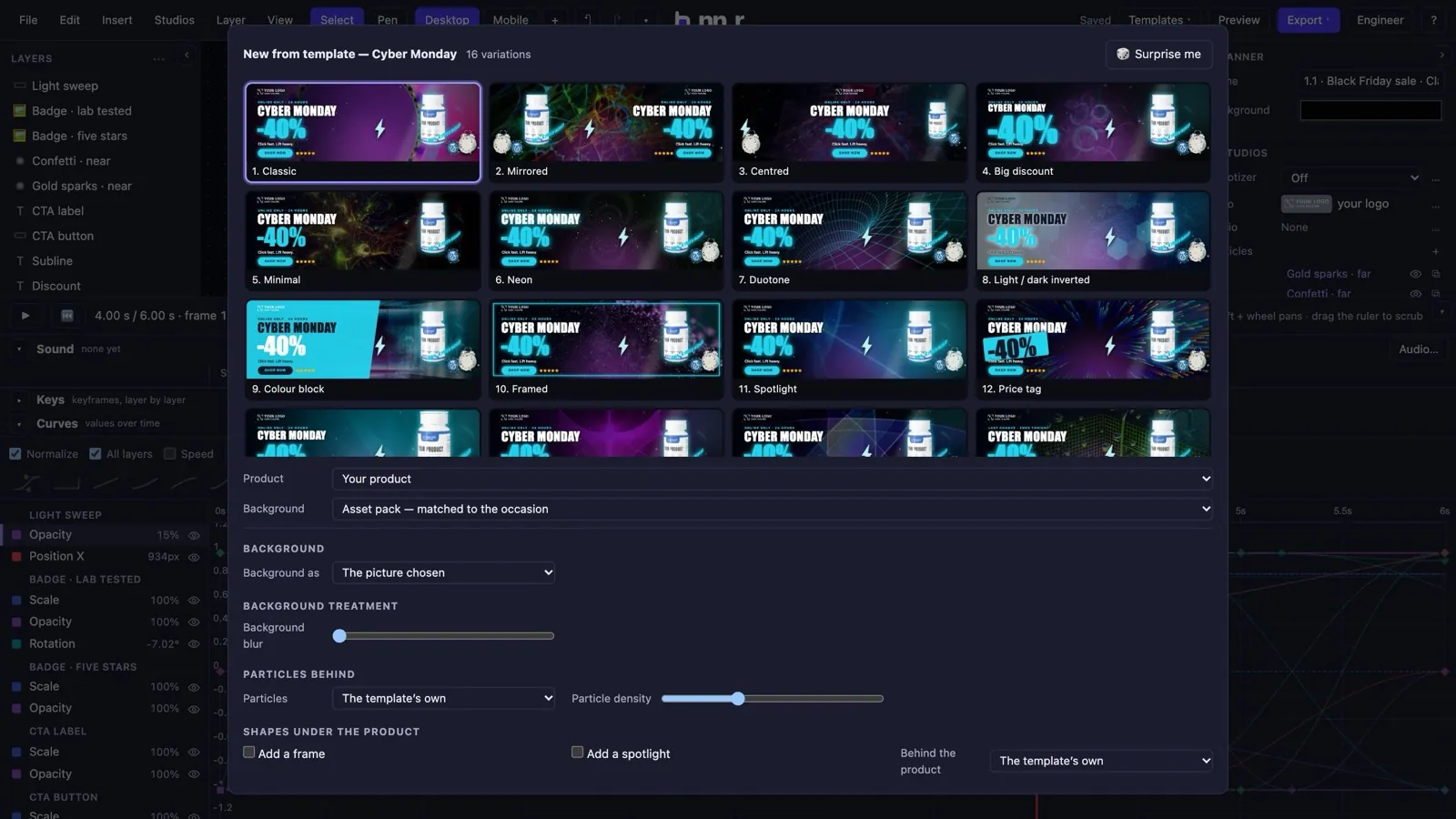
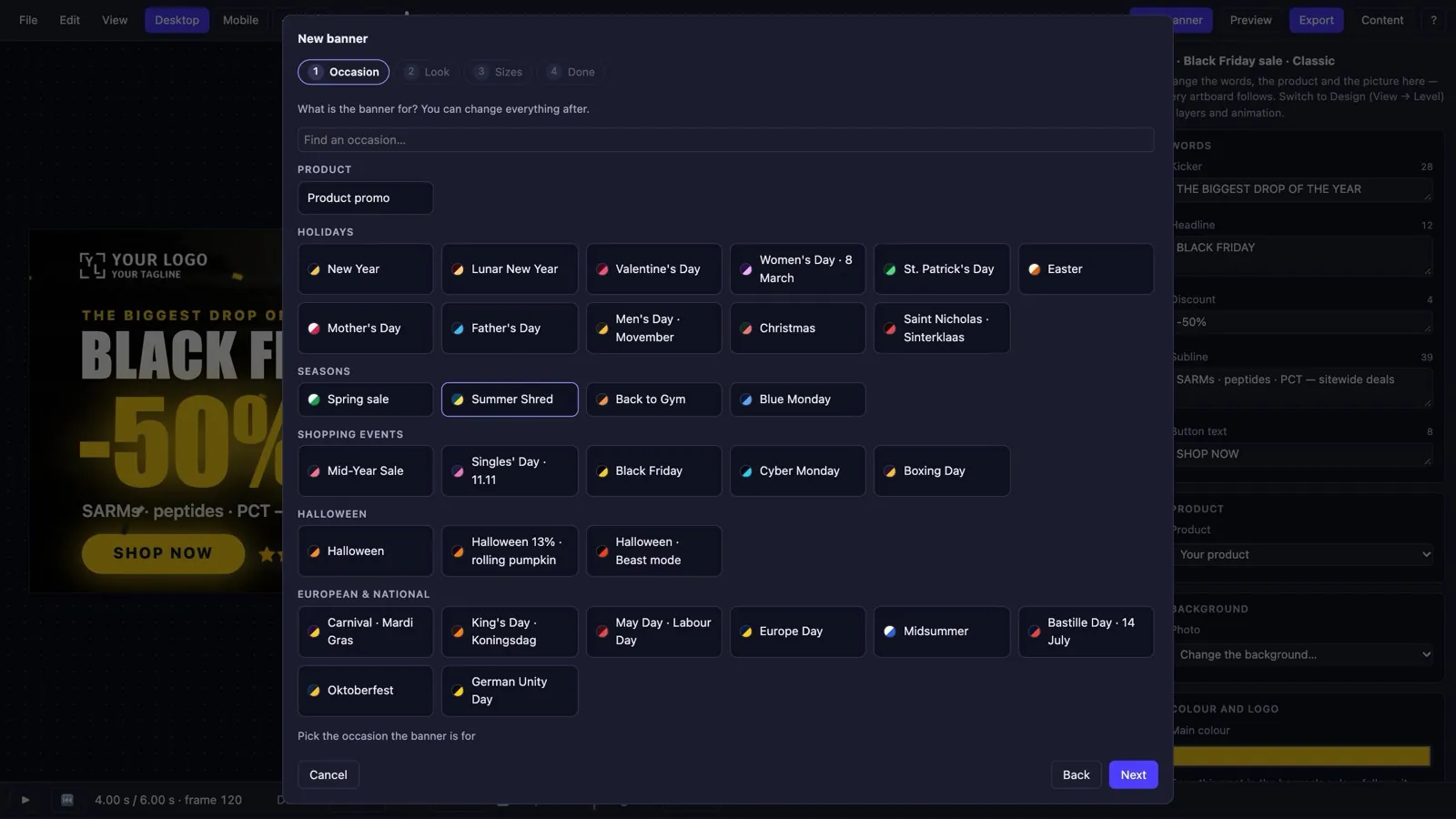
Seventy-nine ready banners, each one a real animated composition — pick the occasion, the product and the backdrop, and the editor builds it for you.
- 37 occasions — holidays, seasons, shopping events, sport and wellbeing days — each in 16 variations (32 with a second mood).
- A gallery of real frames of your banner in every variation, built with your own product and backdrop before you choose.
- Templates 1.1: dress any template from independent options — the key object, the backdrop, an athlete, particles, badges, a sweep, a comet, a flash — or press Surprise me.
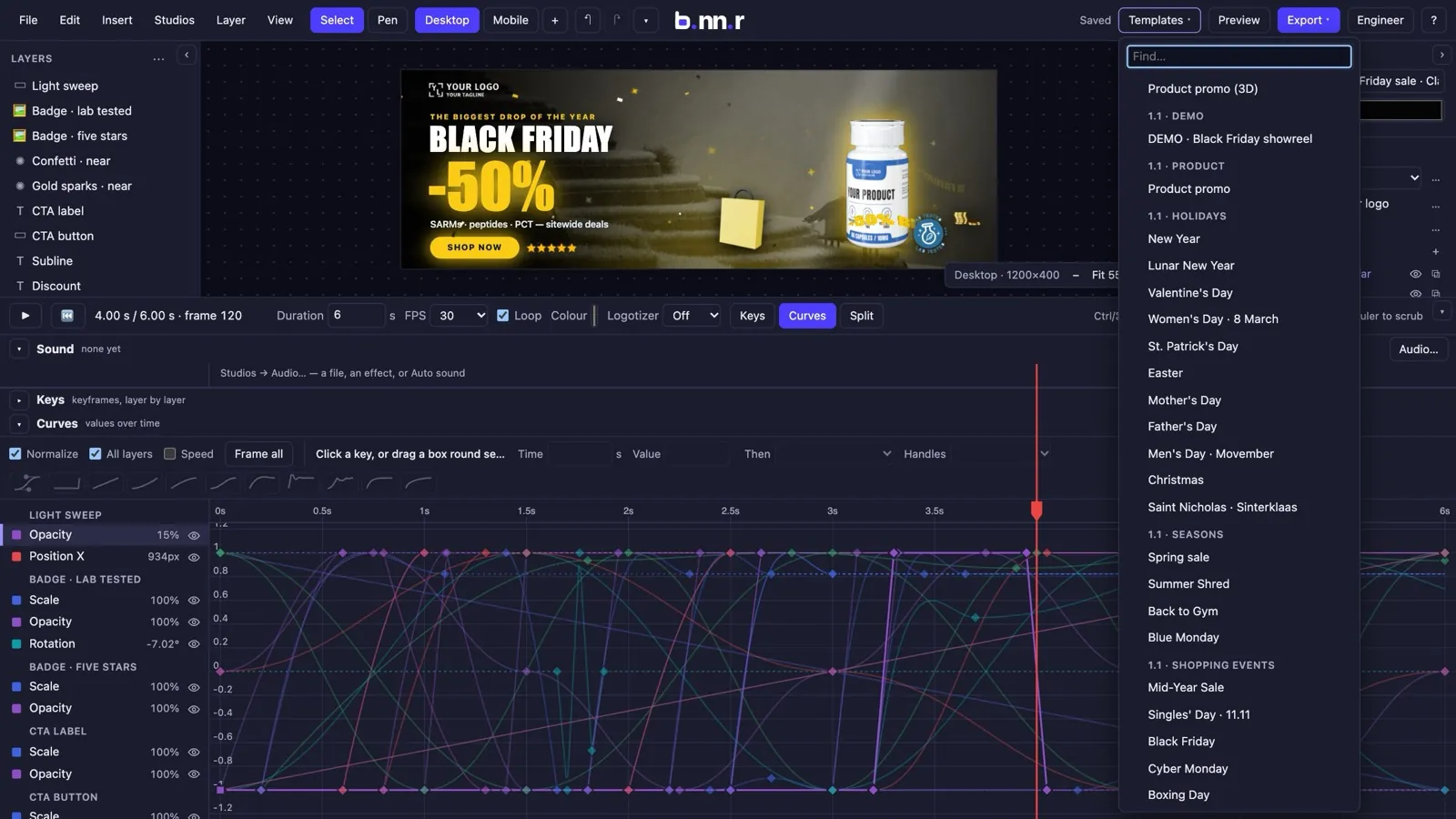
- Product promo and a Black Friday showreel that put a 3D package, particles and a logo film on one board.
- Save your own banners as templates for the whole team; start from them next time with the product, backdrop and colour swapped.
02
One editor for three kinds of people
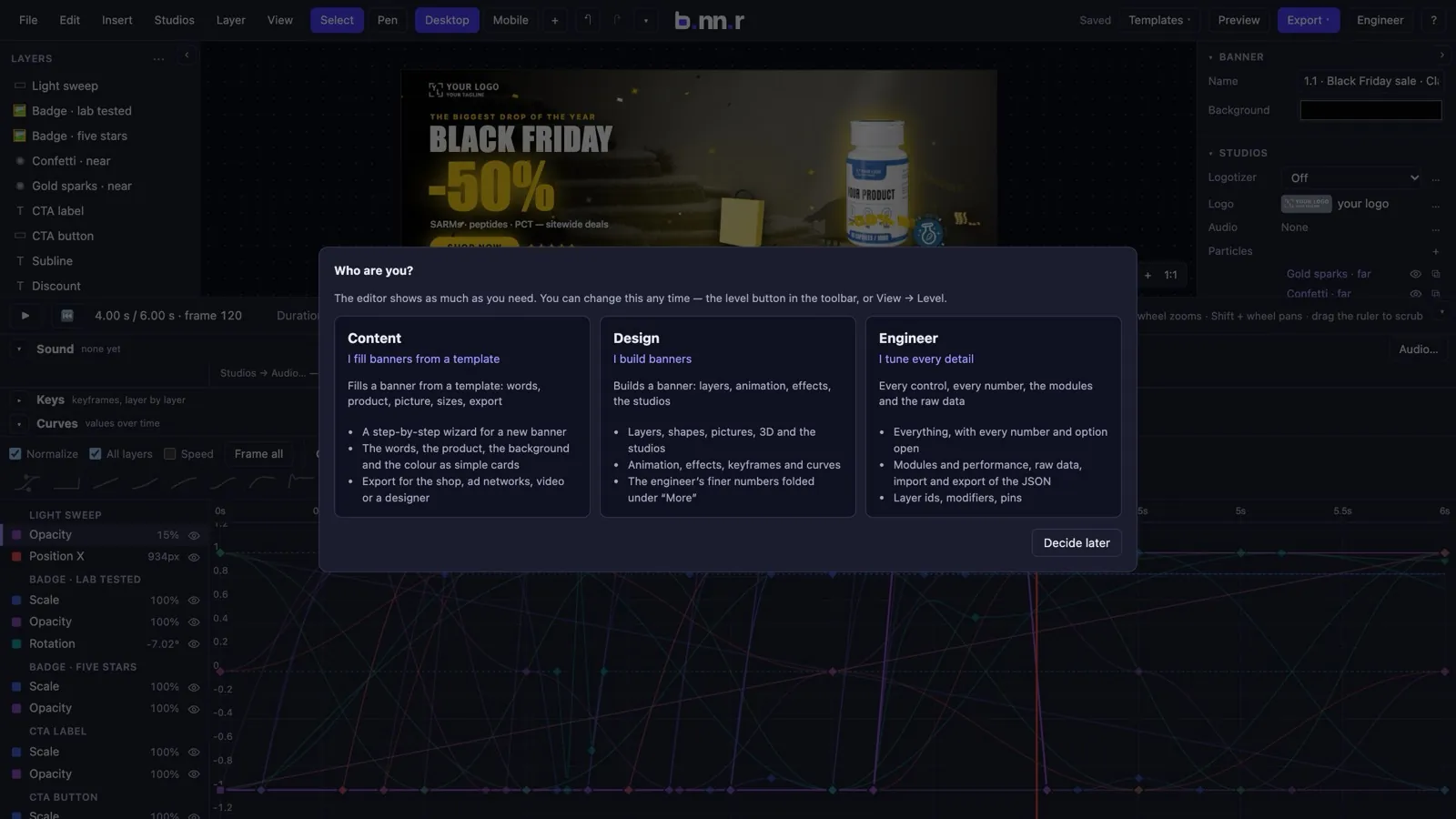
Whoever fills a banner, whoever designs one and whoever tunes every number gets an interface that fits — and none of it is locked away.
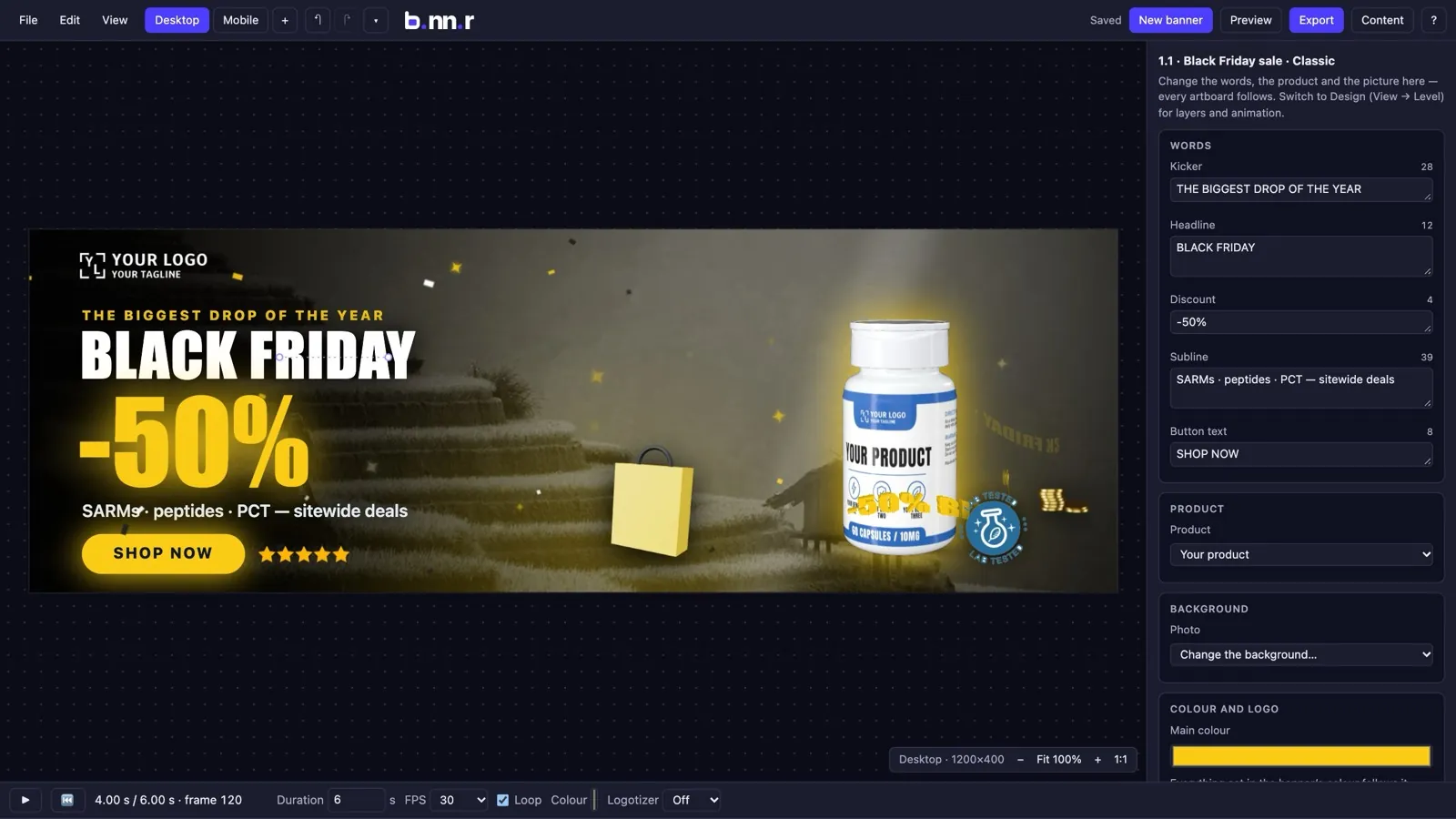
- Content: a step-by-step wizard for a new banner and a panel of cards — the words, the product, the background, the colour and logo. Nothing to break.
- Design: layers, shapes, pictures, 3D and the studios, with the engineer's finer numbers folded under “More”.
- Engineer: everything open — every parameter, the modules and performance dialog, raw data.
- A level hides, it never forbids: switch any time from the toolbar, or have an account hold a person on one level.
- Export by destination: pick the shop, an ad network, video or the designer, and the editor chooses the format and checks the banner in plain words.
03
Your products as real 3D packages
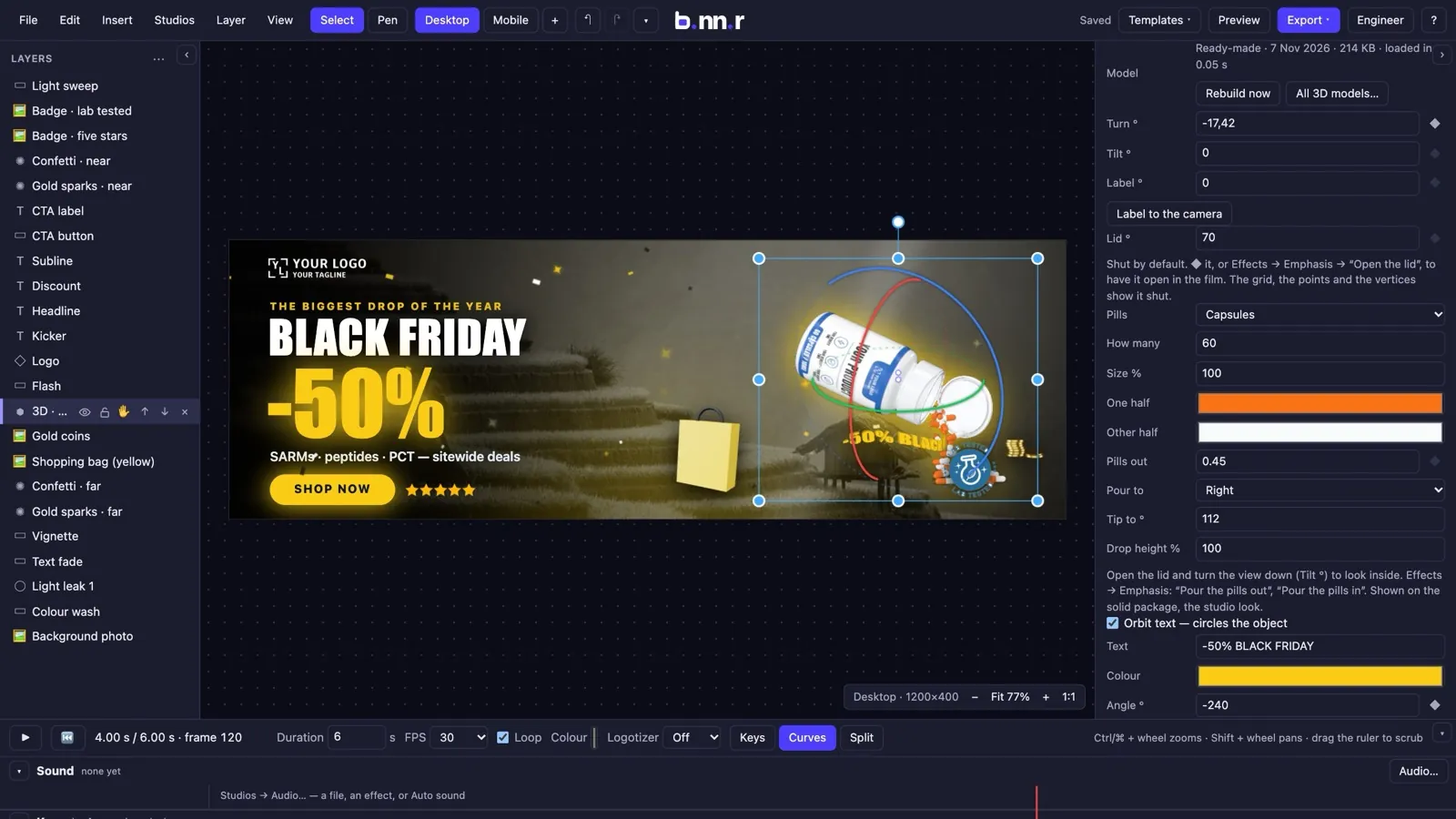
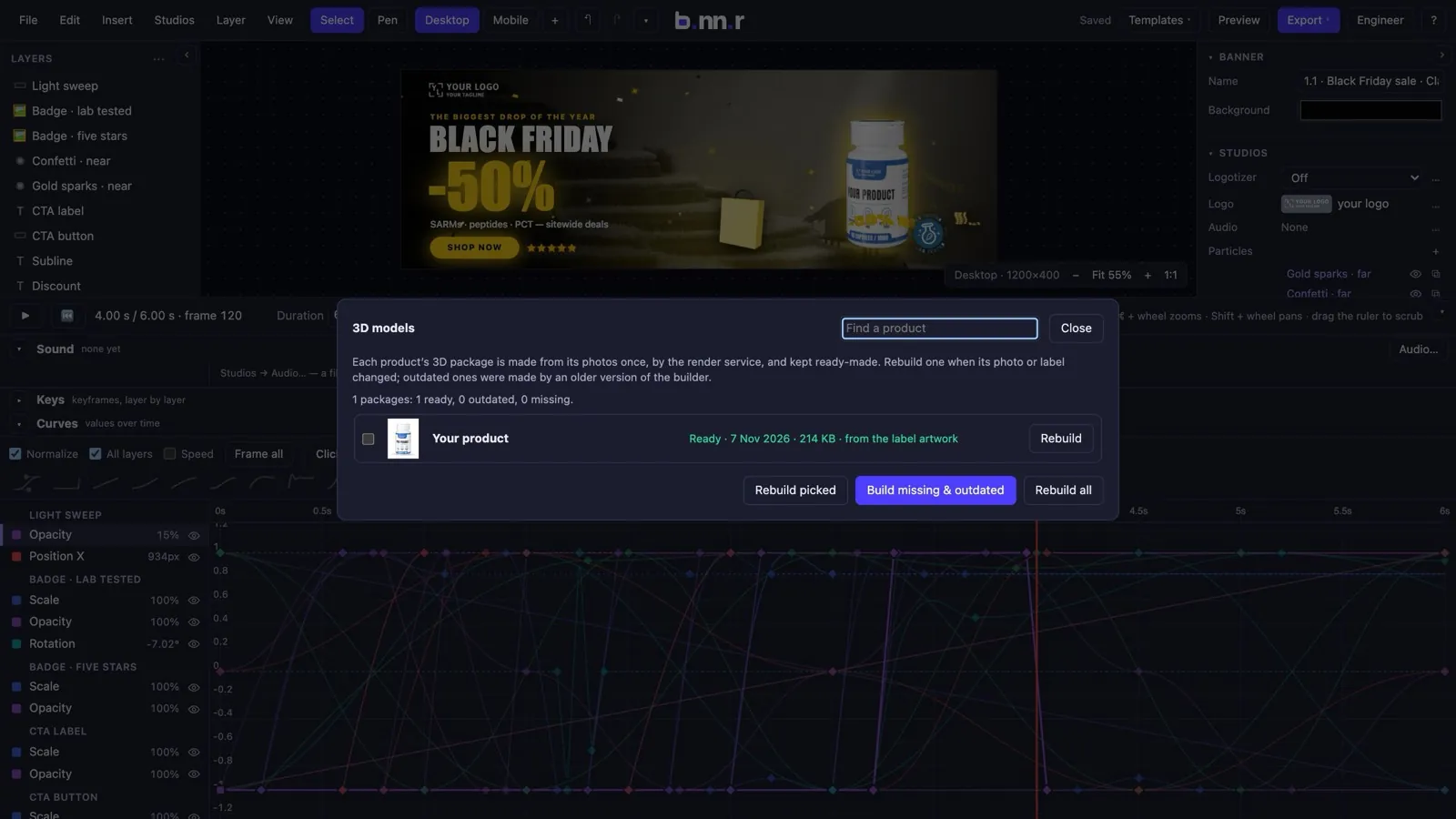
A catalogue photo becomes a studio-lit 3D package whose label is the real one — made on a render service, loaded in a blink, animated like any layer.
- The silhouette of the photo becomes a turned shape and the photo is unwrapped onto it; the back and the sides are filled in from the other shots, never by stretching edge pixels.
- Two looks over one geometry: Studio (clean plastic cap, clear-coat, strip lights) and Classic (the photo's own light).
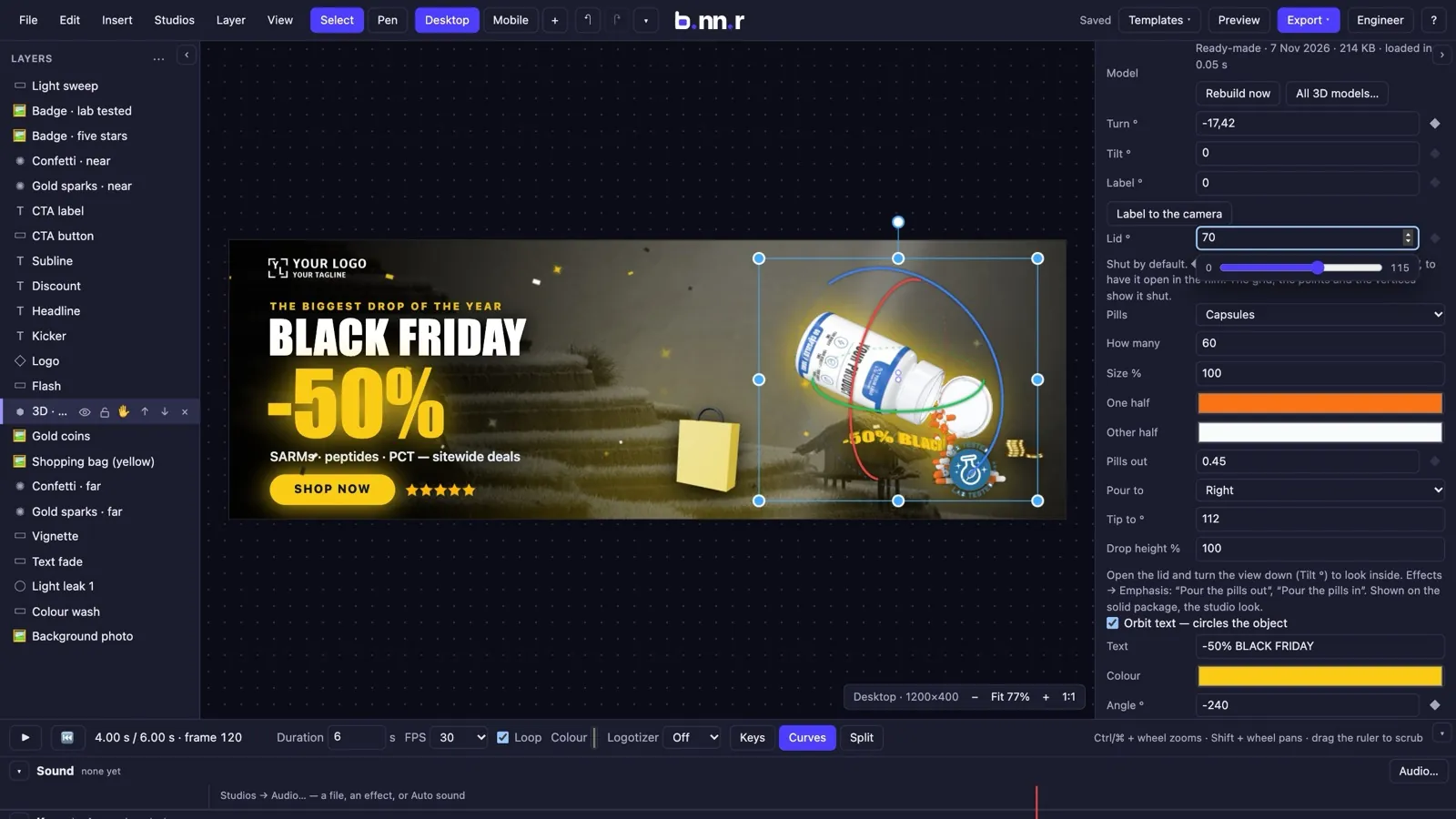
- A cap made of real parts: base, thumb recess, flip lid and hinge. The lid opens on a keyframe.
- Capsules lie in the open jar and pour out onto the floor or fall back in — one animatable number, the same frame in the editor, the video and an export.
- Draw it solid, as a mesh grid, as scattered points or as the mesh's own vertices; add text that orbits behind the jar and unfolds into a line.
- Drag the three rotation rings on the board; label languages where the product has them.
04
Your logo as a 3D film
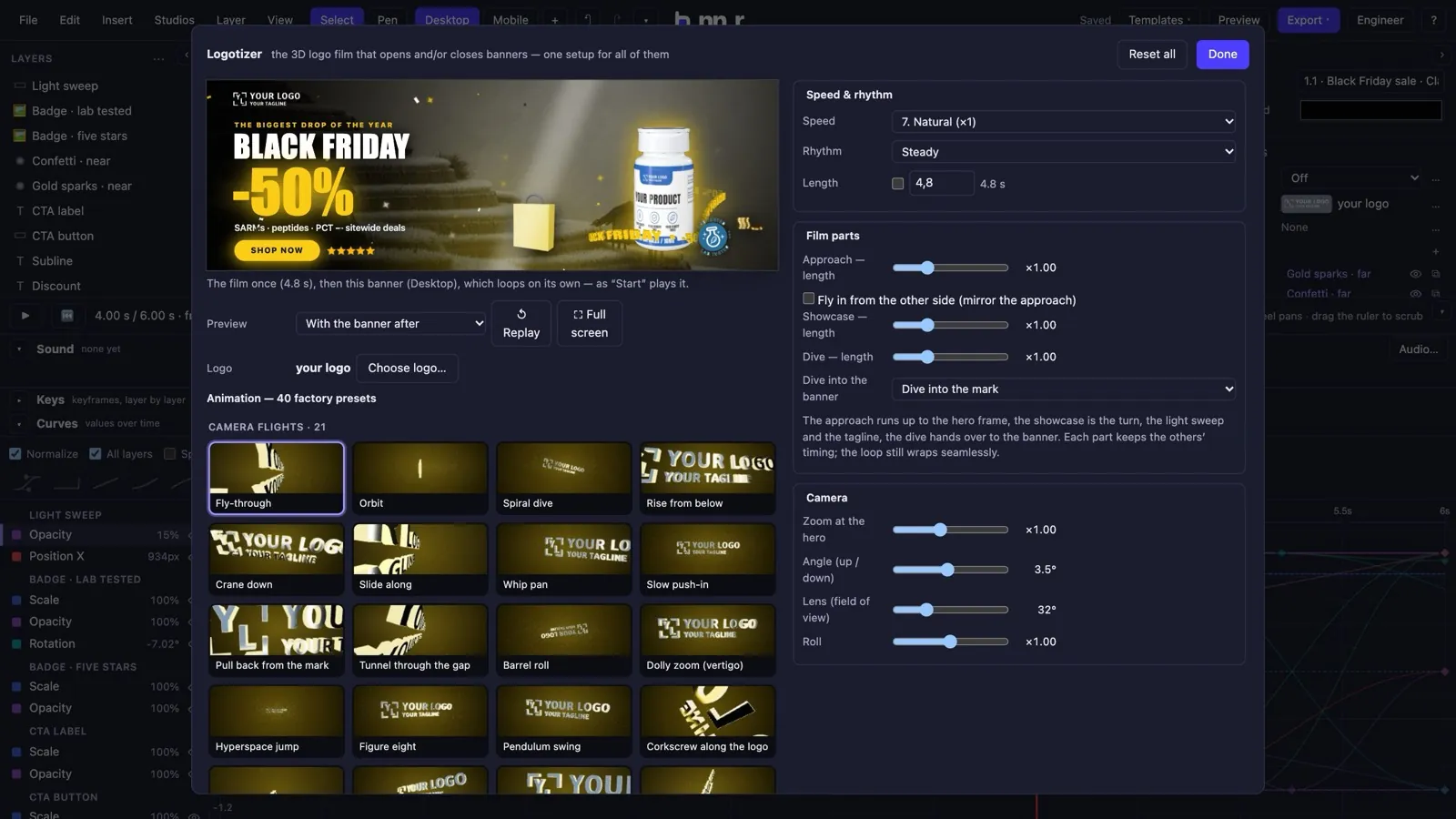
The Logotizer extrudes any logo and shoots it as a film title — and opens, closes or loops your banners with it.
- 40 animations in three families: camera flights, the logo moving, letter by letter — each with its own settings.
- 16 speeds, four rhythms, a length of your own; the film's parts (approach, showcase, dive) each have a length and an ending.
- Start, end or both ends of a banner, with a seamless loop: the last frame equals the first to the pixel.
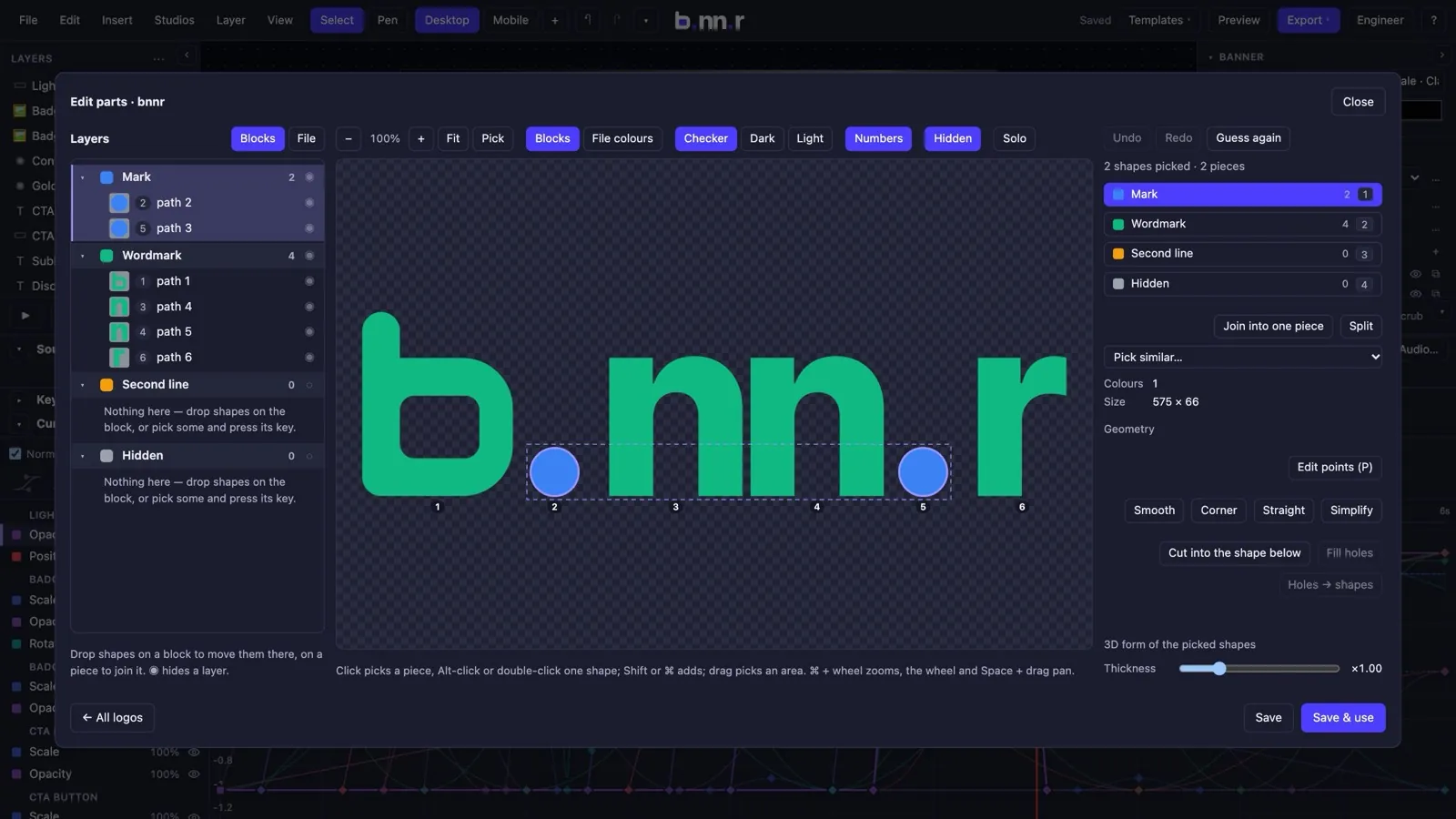
- Bring any SVG: the logo editor guesses the parts (mark, wordmark, tagline), lets you fix pieces, points, holes and the 3D depth and bevel of each shape.
- Thousands of vector logos from the asset packs are one click from becoming a film.
05
Particles, shape-shifting and cinematic motion
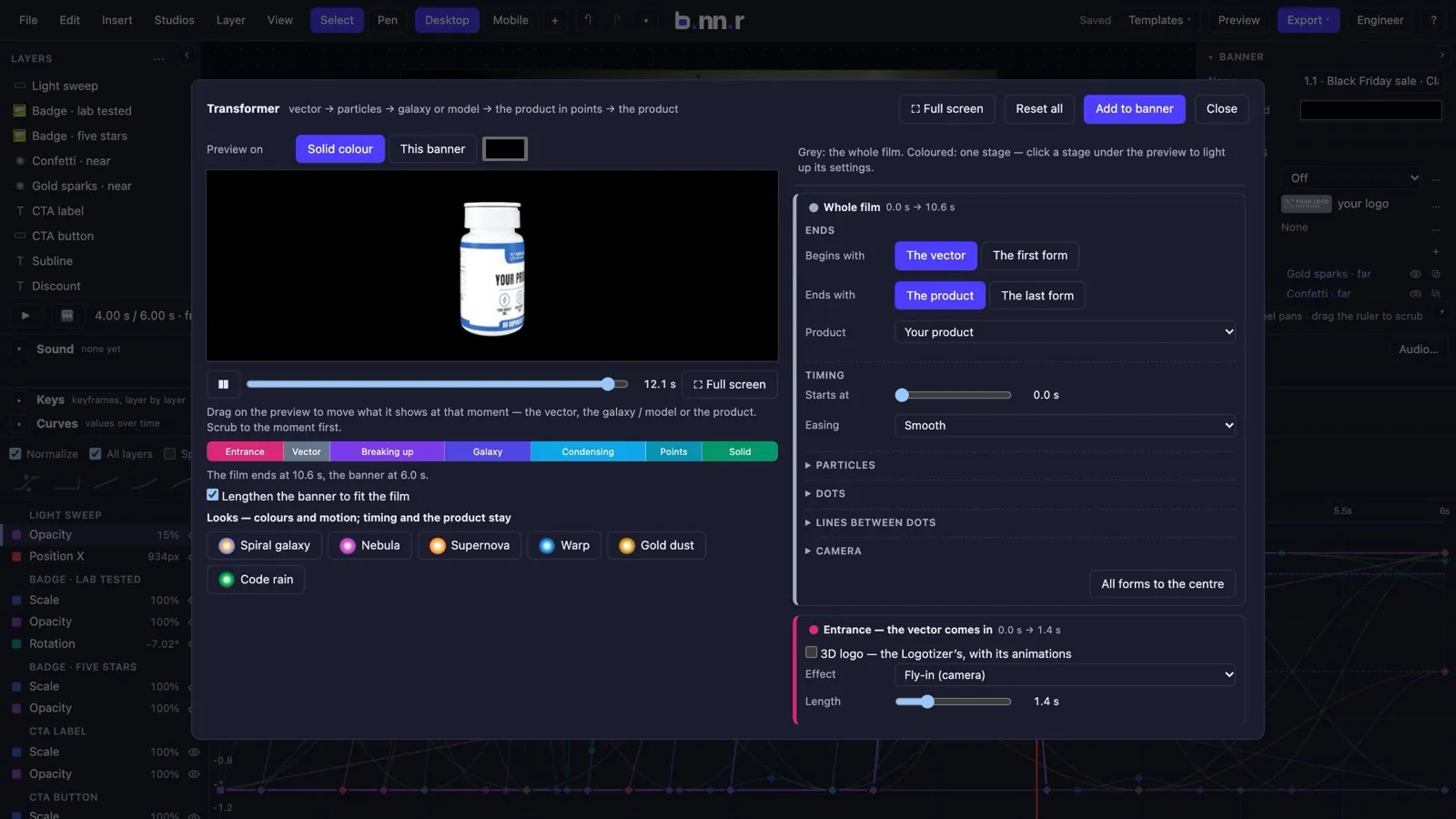
Fields of particles, and the Transformer: a logo bursts into points, melts through galaxies and molecules, and condenses into your product.
- The Transformer carries one cloud of up to 120,000 particles from a logo, through a chain of models, to the product in points and then the solid package.
- 72 built-in models — gym, sport, sports nutrition, pharma, science, Christmas — and 28 real molecules from PubChem; six ways to travel between forms.
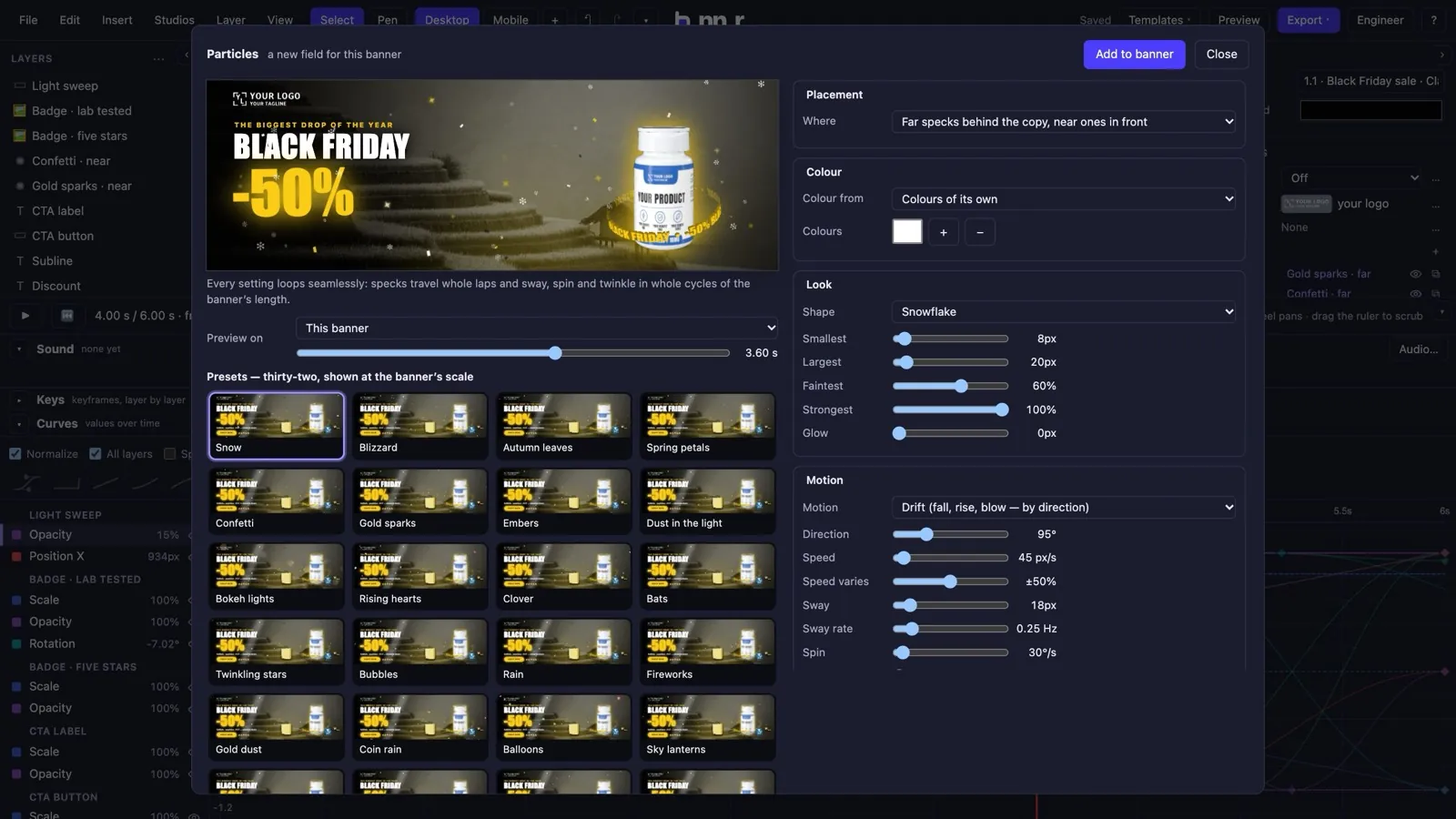
- Particle fields from 32 presets with every parameter open; each speck is a function of the clock, so every field loops without a seam.
- Everything animated is a pure function of time: the editor, the preview, the video and the exported page show the same frame.
06
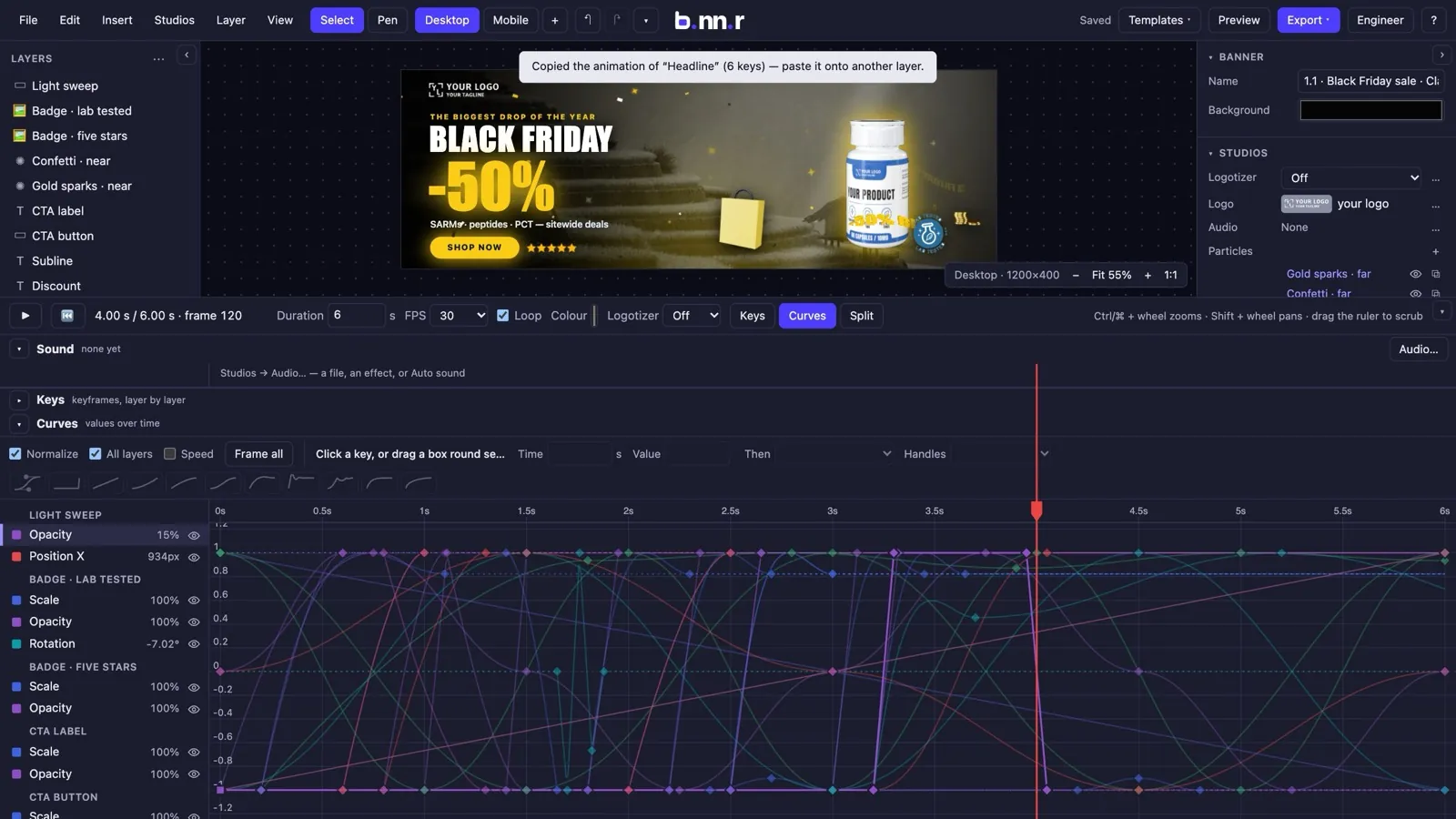
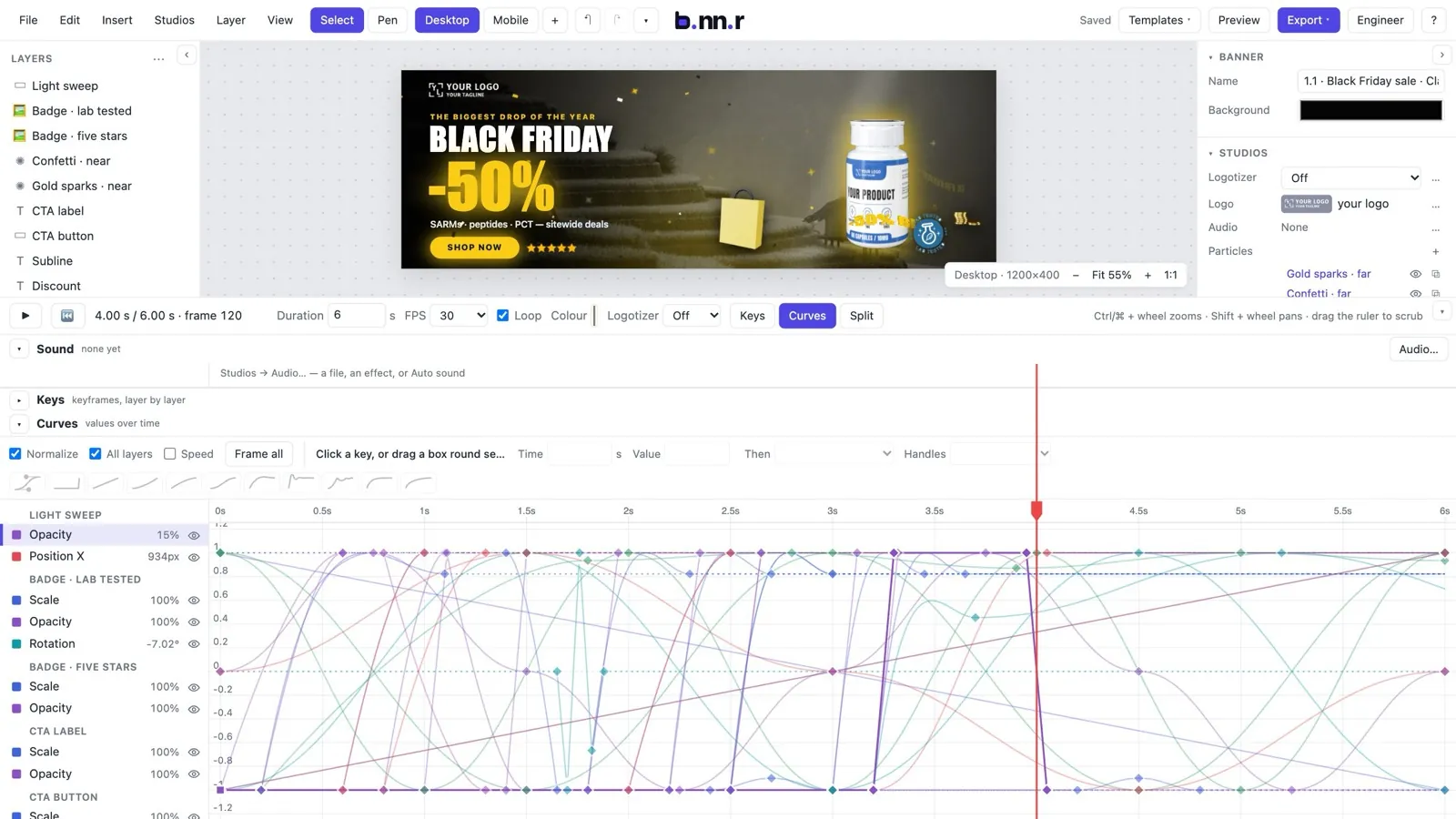
Animation with a real curve editor
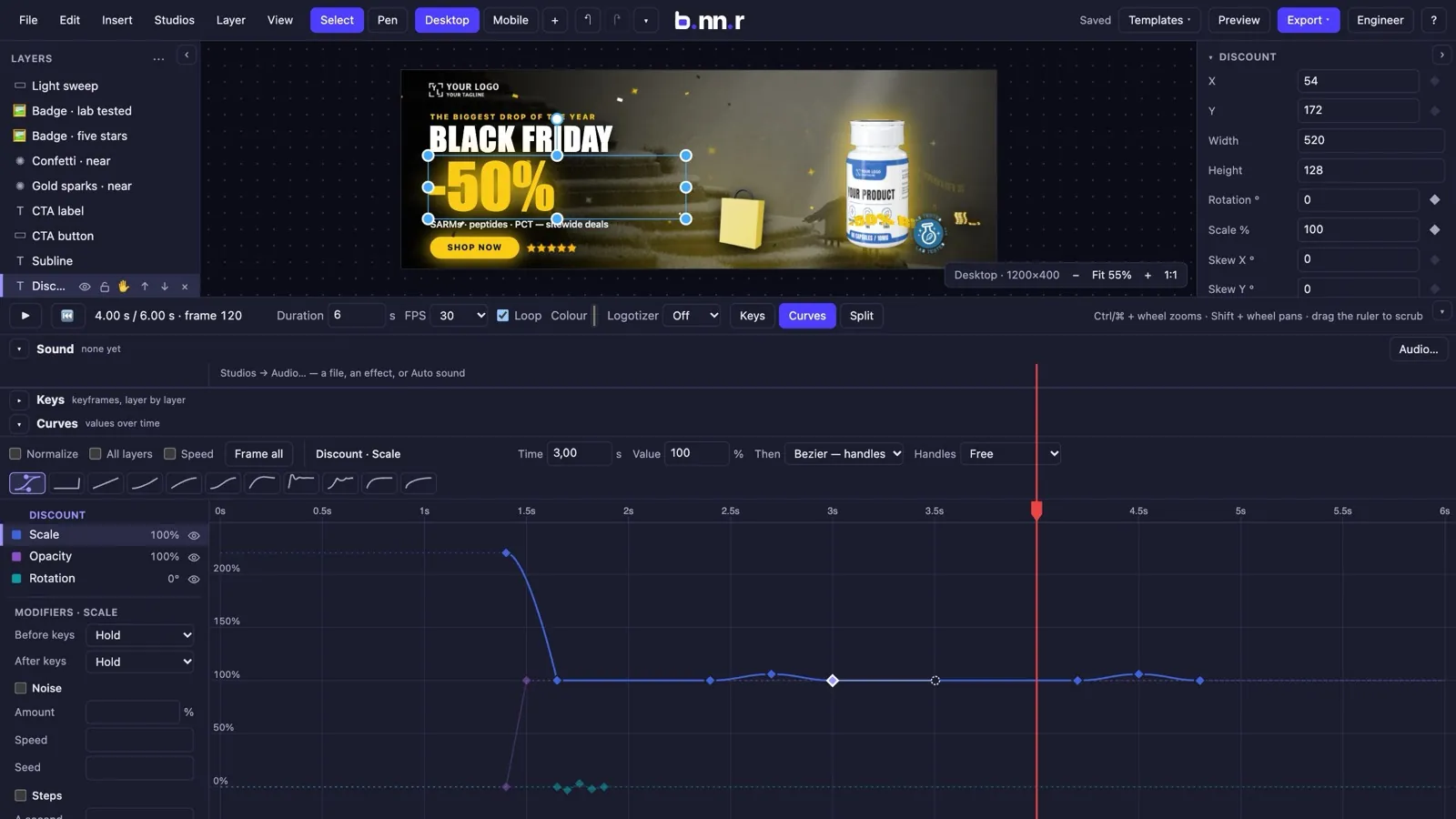
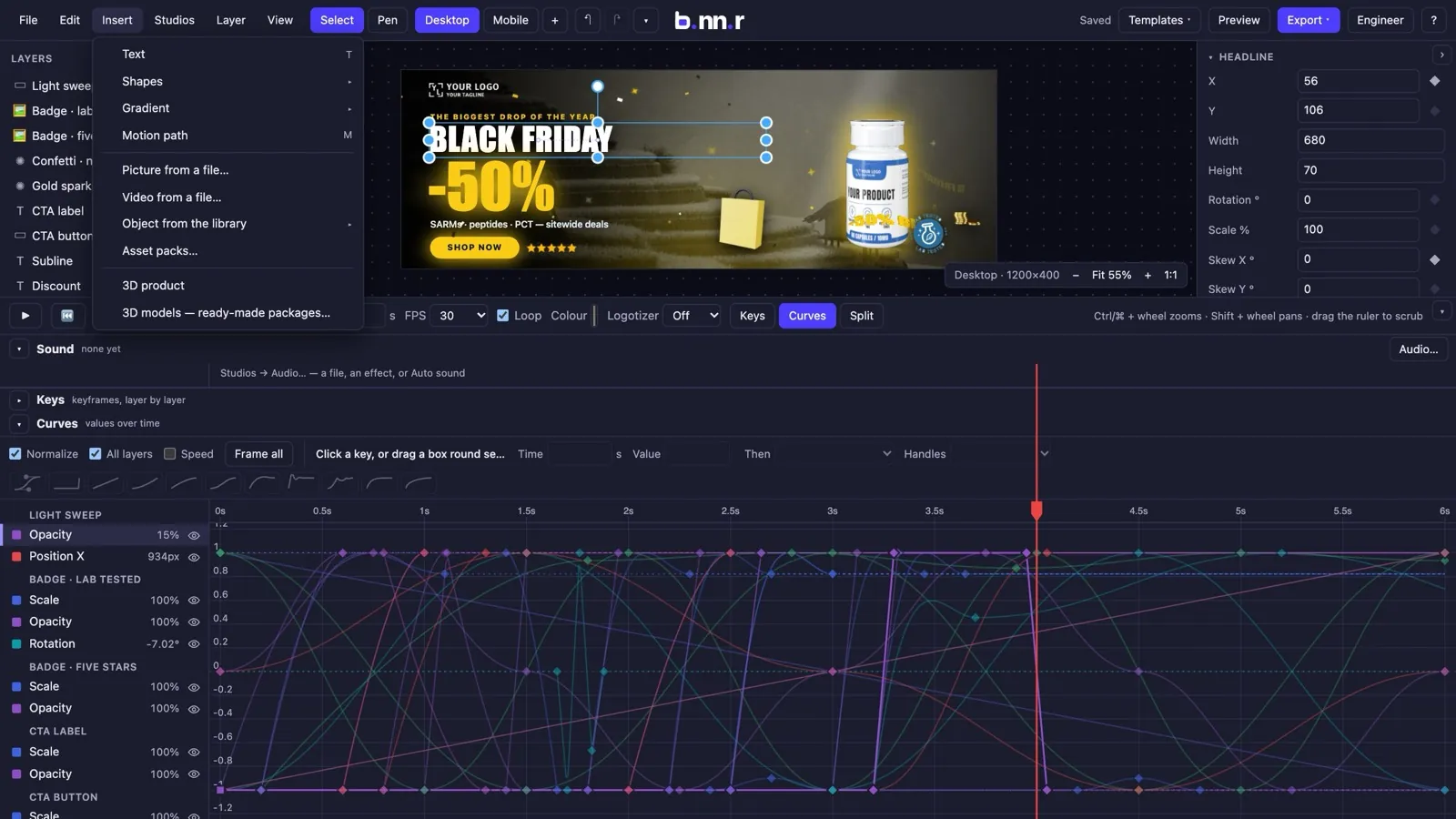
Keyframes on every property, Bezier handles, modifiers and 52 one-click effects — and a timeline that reads as values over time.
- Keys on position, scale, rotation, opacity, glow, 3D turns and more; 16 easings including elastic, bounce, expo and back.
- The Curves view: pick, drag and nudge keys, Bezier handles, a speed band, ghosts while you drag.
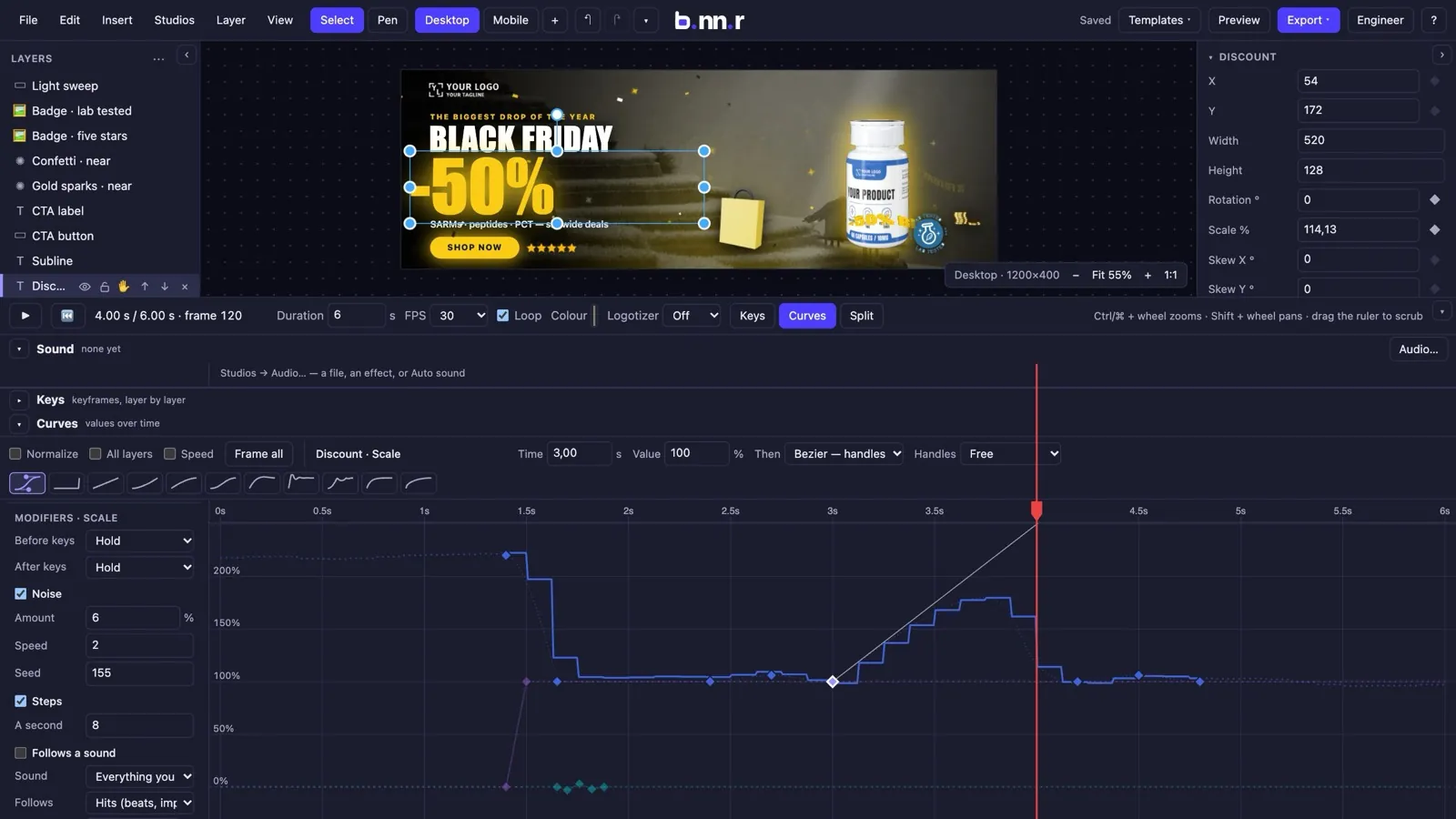
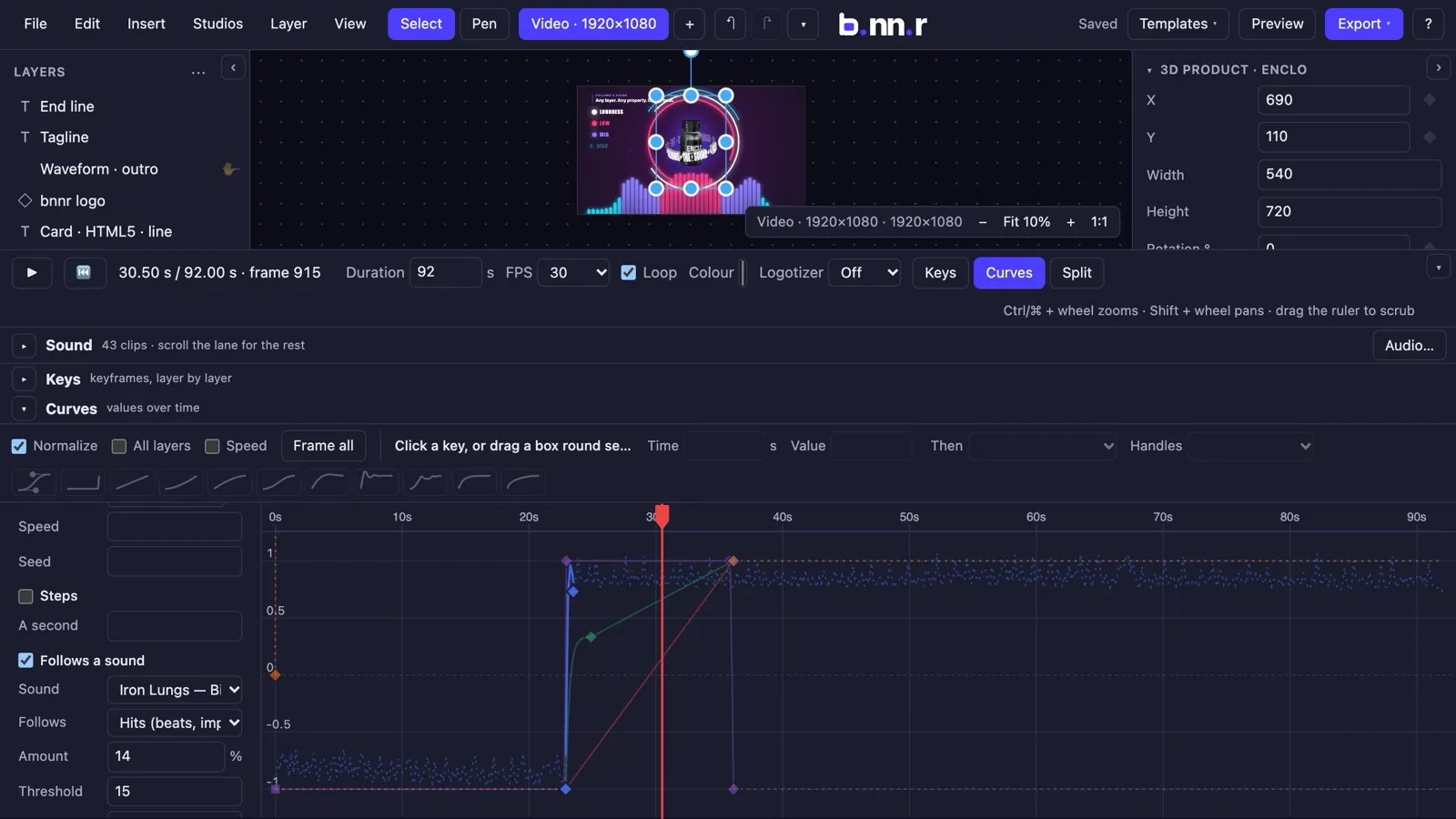
- Track modifiers: repeat, mirror and offset cycles, stop-motion steps, seeded noise — and a sound-follow modifier.
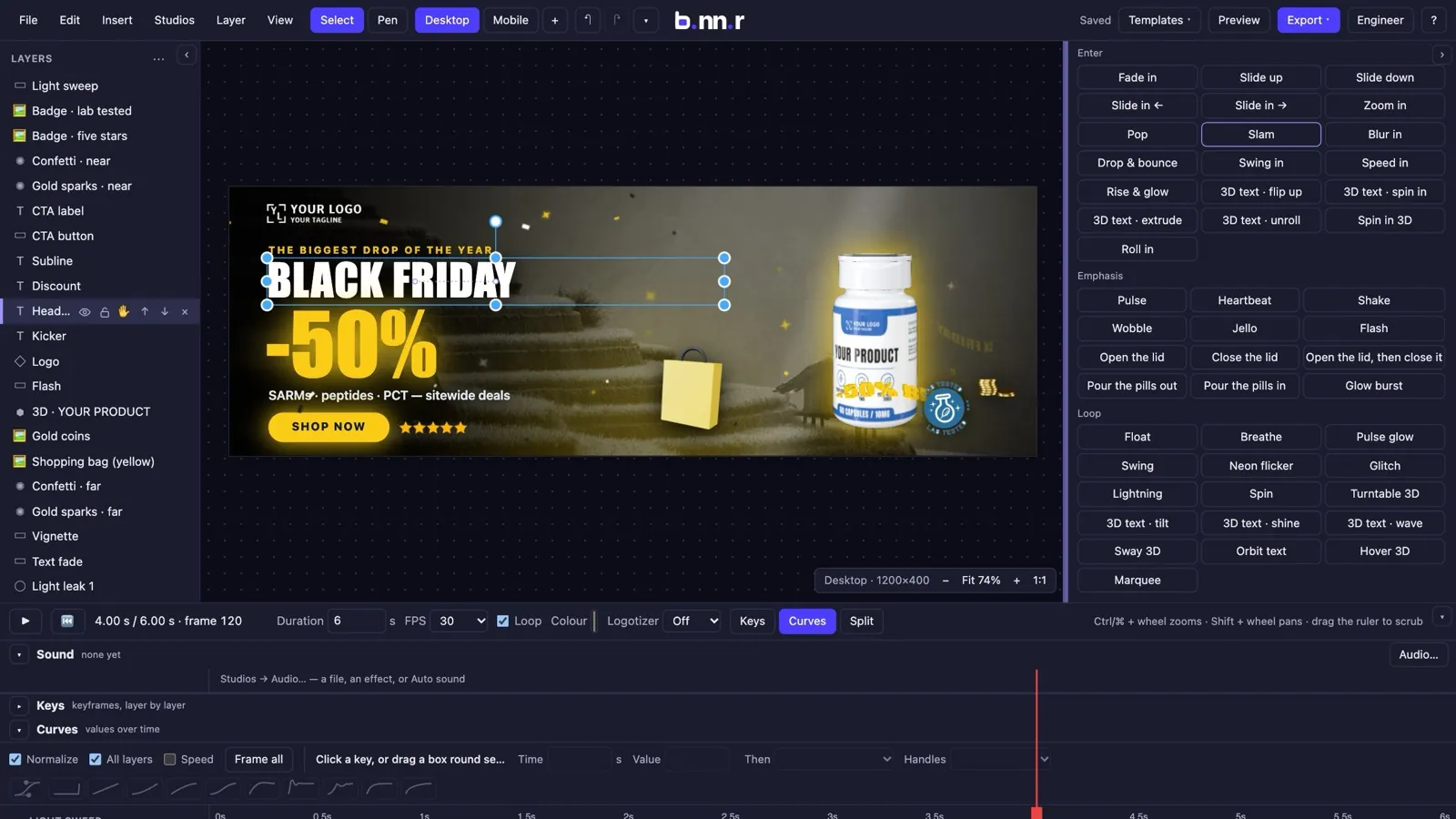
- Effects from the playhead: slam, drop and bounce, glow, 3D text, emphasis, loops. Copy a layer's whole animation onto another with its values rescaled.
- Motion paths drawn with the pen, one undo step per drag, every number a slider away.
07
Text, shapes, 3D text, pictures and video
Everything a banner is made of, drawn by one runtime that ships in every export.
- Text with real fonts, per-artboard wording, and solid 3D text — glossy, matte, chrome, gold or neon — with depth, bend and wave.
- Shapes and gradients: lines, polygons, stars, rings, spirals, waves, hearts; linear, radial, conic and reflected gradients.
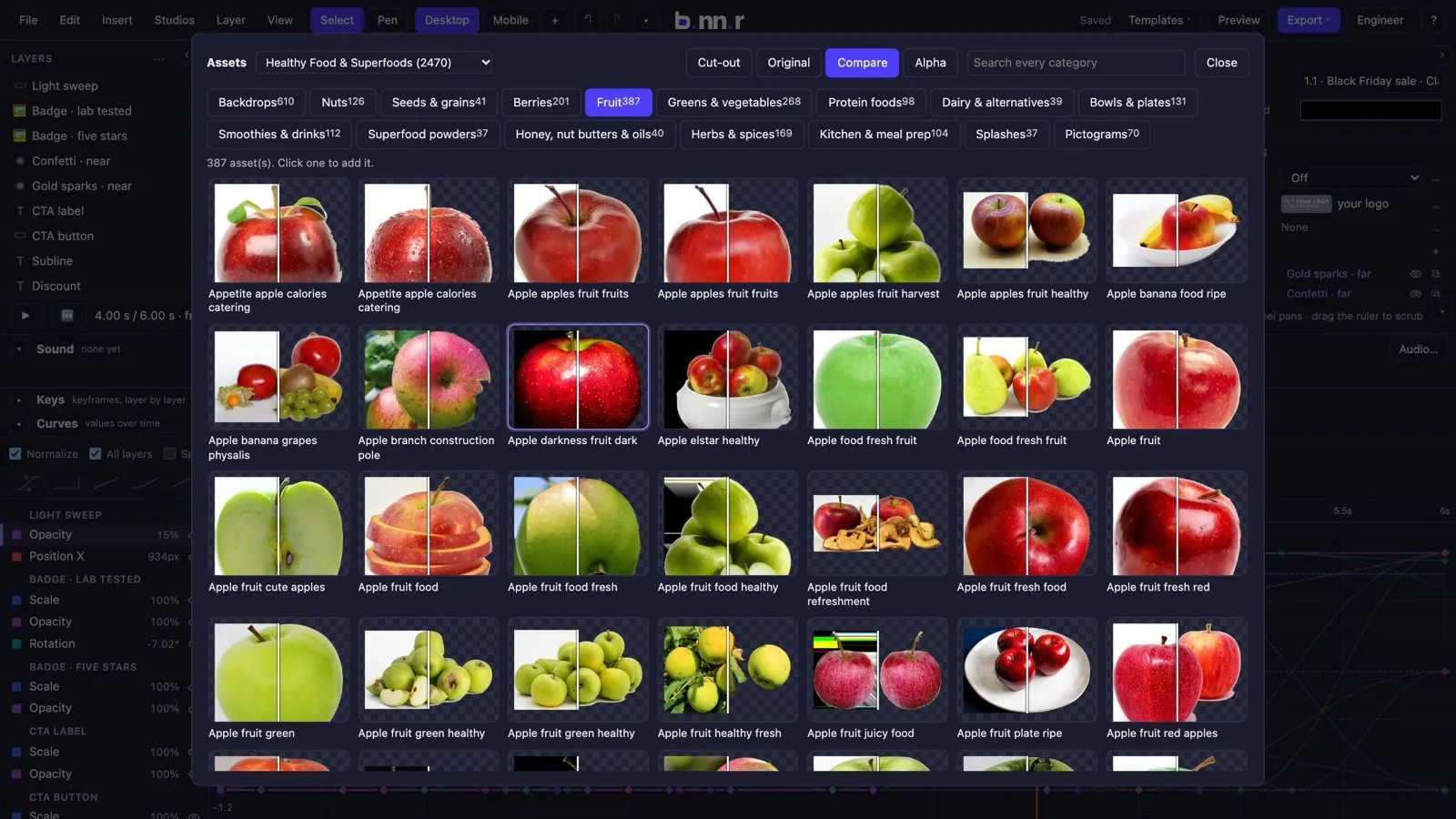
- Pictures, SVG and a library of photo objects; a background stack with Ken Burns, parallax, colour washes, fog and lightning.
- A video layer with trim, loop and time remap, chroma and luma keys and transparency; a clip can be the material of 3D text or the Transformer.
08
Sound that is part of the banner
Put music and effects on the timeline, derive effects from the animation, and let the animation follow the sound.
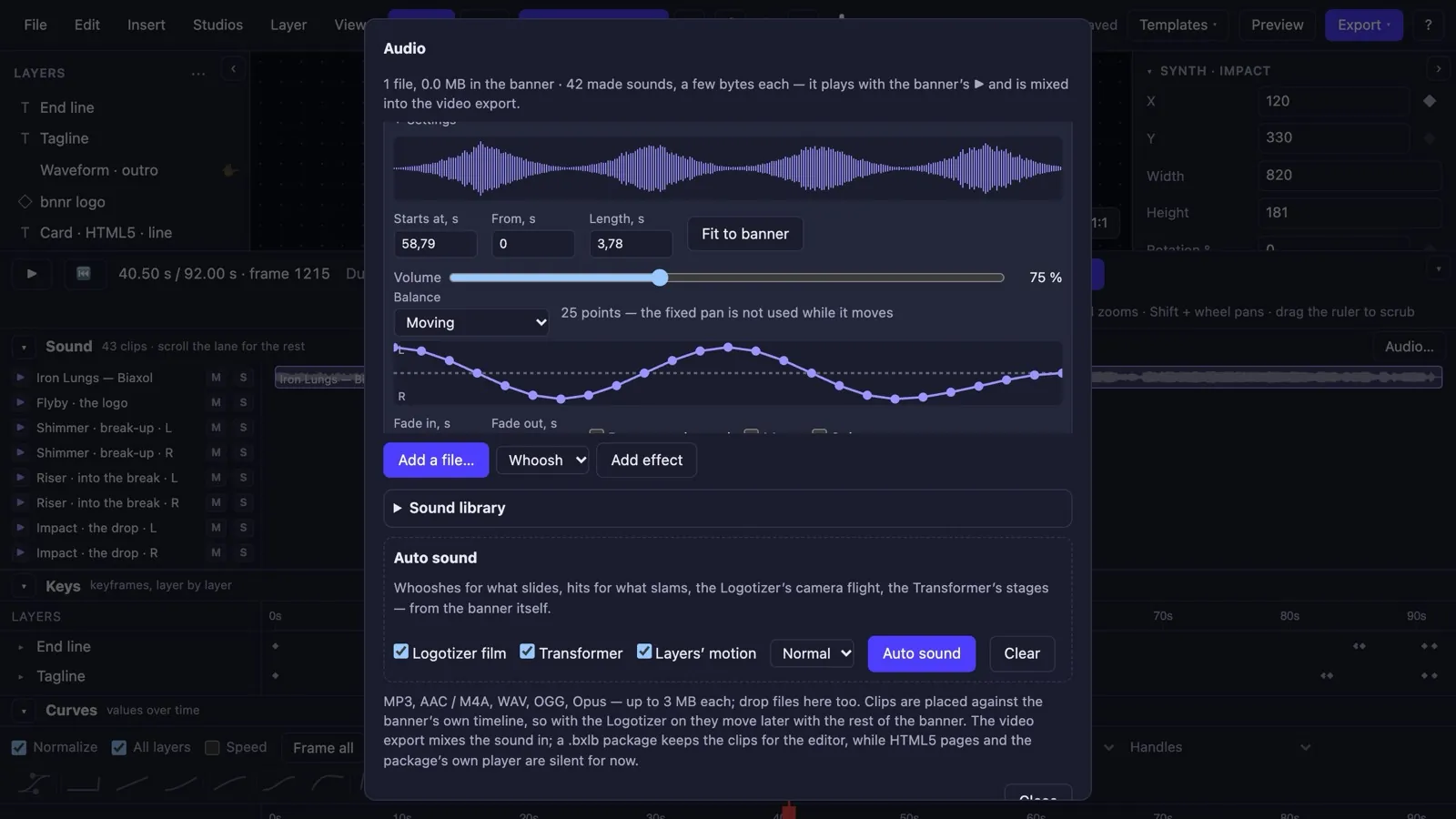
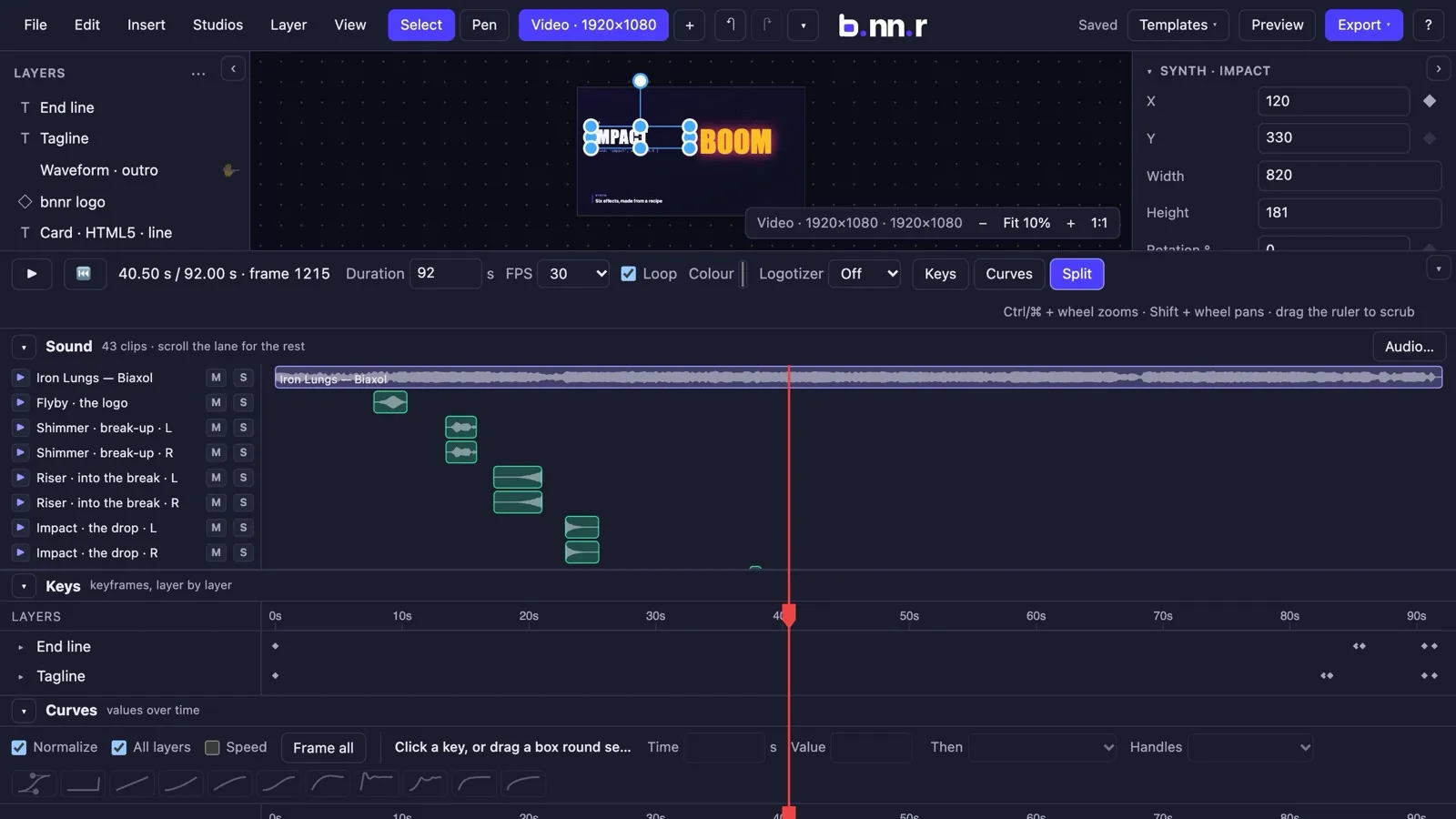
- Clips on the timeline from files or from a built-in synth: whoosh, riser, impact, shimmer, tick, flyby.
- Auto sound reads the banner as it plays and cues what the eye sees — sounds land on the frame they belong to.
- Moving stereo balance: draw where a sound travels, left to right, over its length.
- Animation that follows sound: bass, mids, highs and beats drive scale, glow or position; the reaction is stored as data and exports with the banner.
- One mix for the editor, the preview, the video's soundtrack and the exported page, with a mute and solo desk.
09
Every size from one design
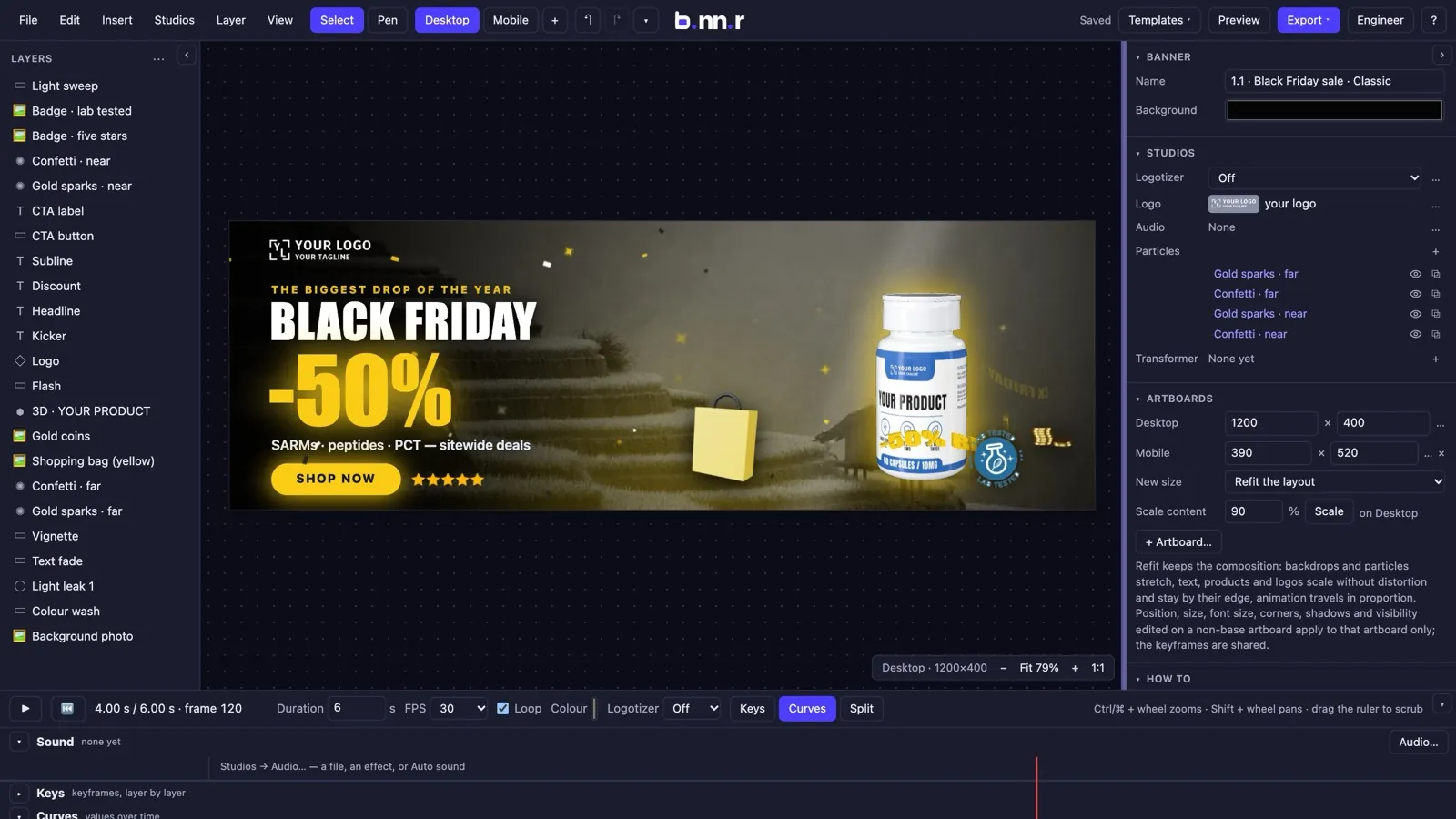
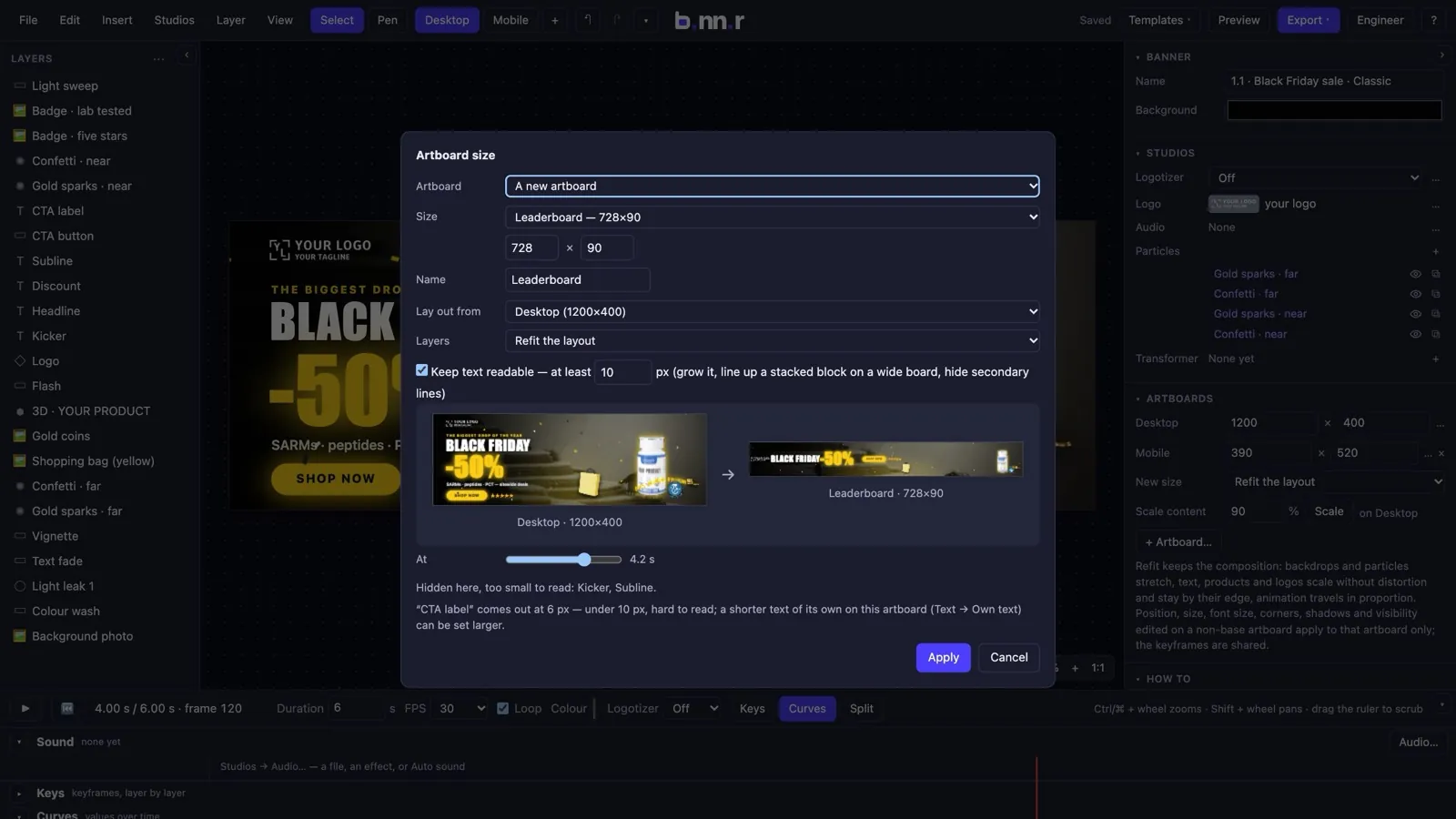
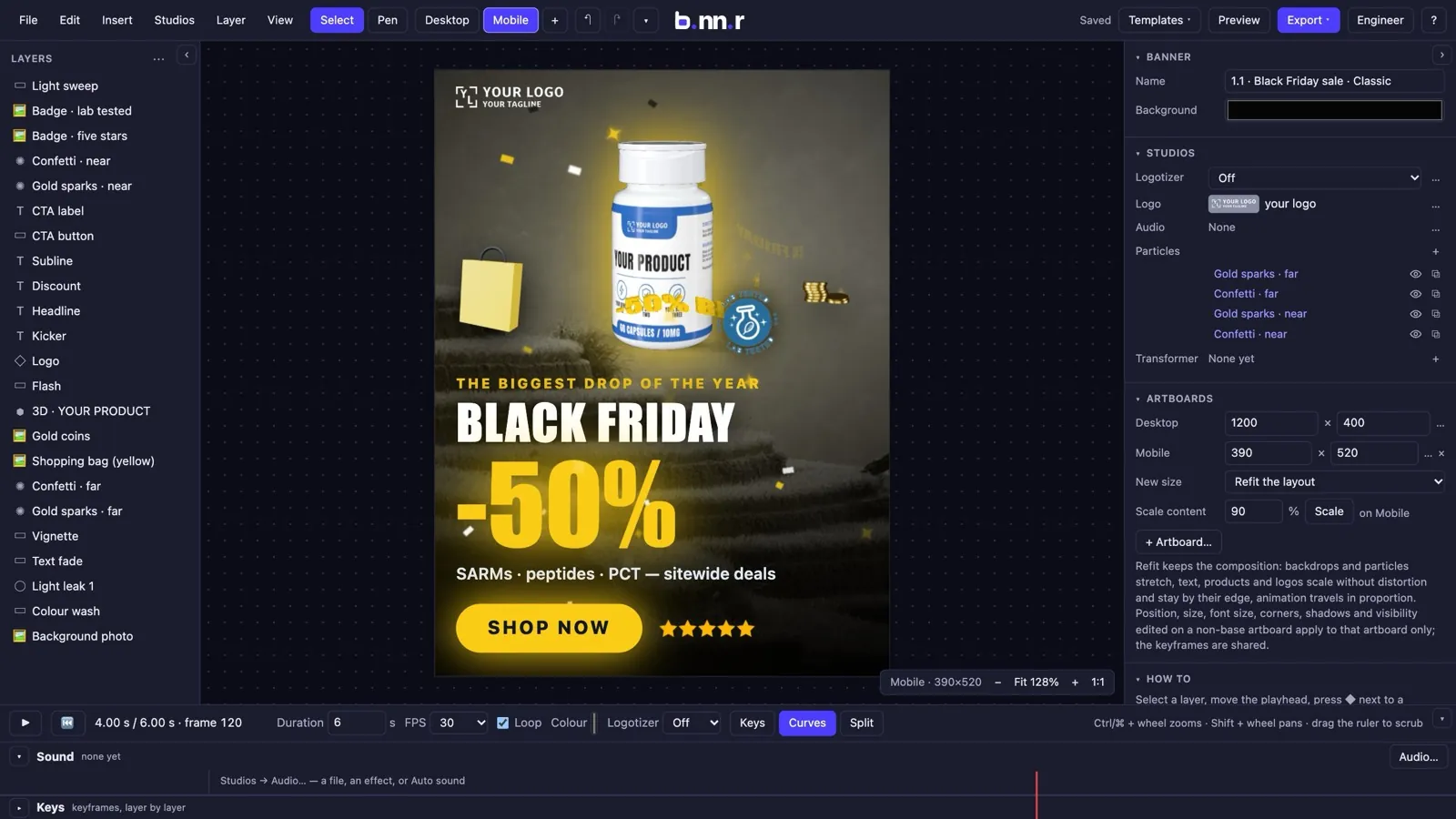
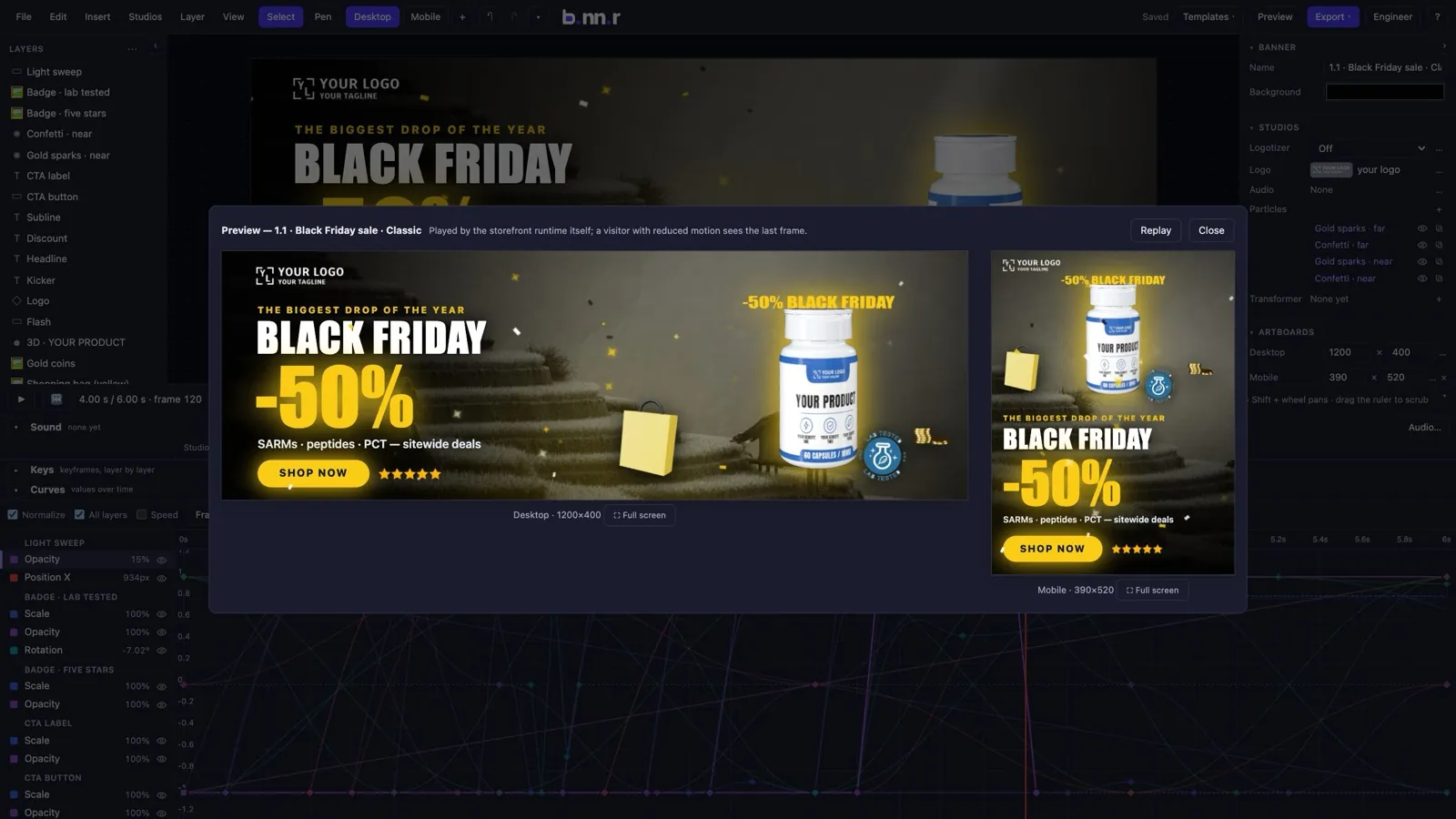
Add a 728×90 leaderboard or a 9:16 story and the editor lays the banner out again — it does not just stretch it.
- Artboards for desktop, mobile and every IAB, social and shop size; one animation plays on all of them.
- Refit keeps your composition: copy blocks hold together, text stays readable, a stacked block becomes a row on a leaderboard.
- Or compose by role: logo, picture, kicker, headline, discount, button laid out afresh for the shape.
- Per-artboard text: “SHOP” on a 320×50 while the others say “SHOP THE DROP”. Scale content and pin layers to edges.
10
Ship it anywhere — and know the size first
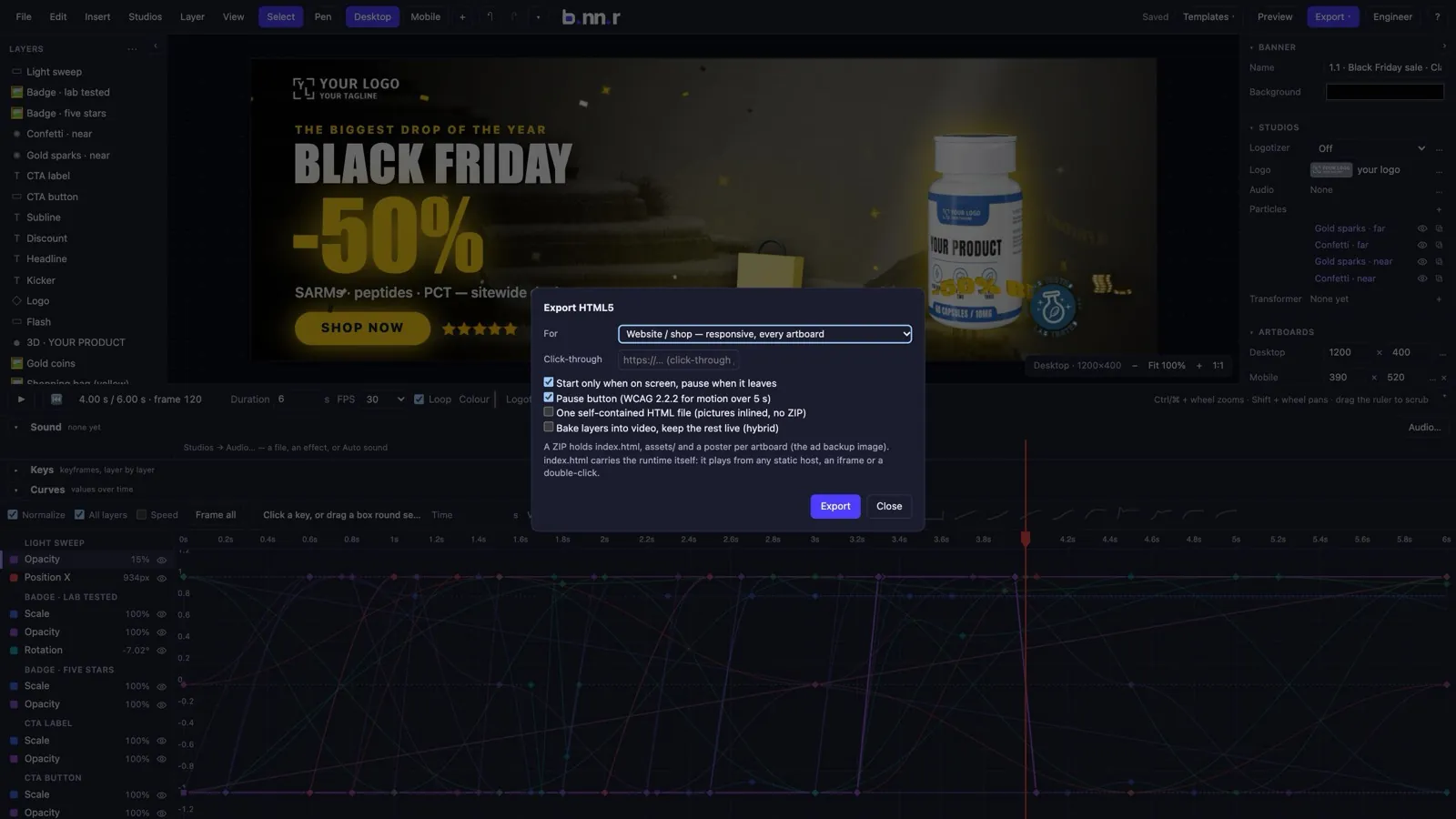
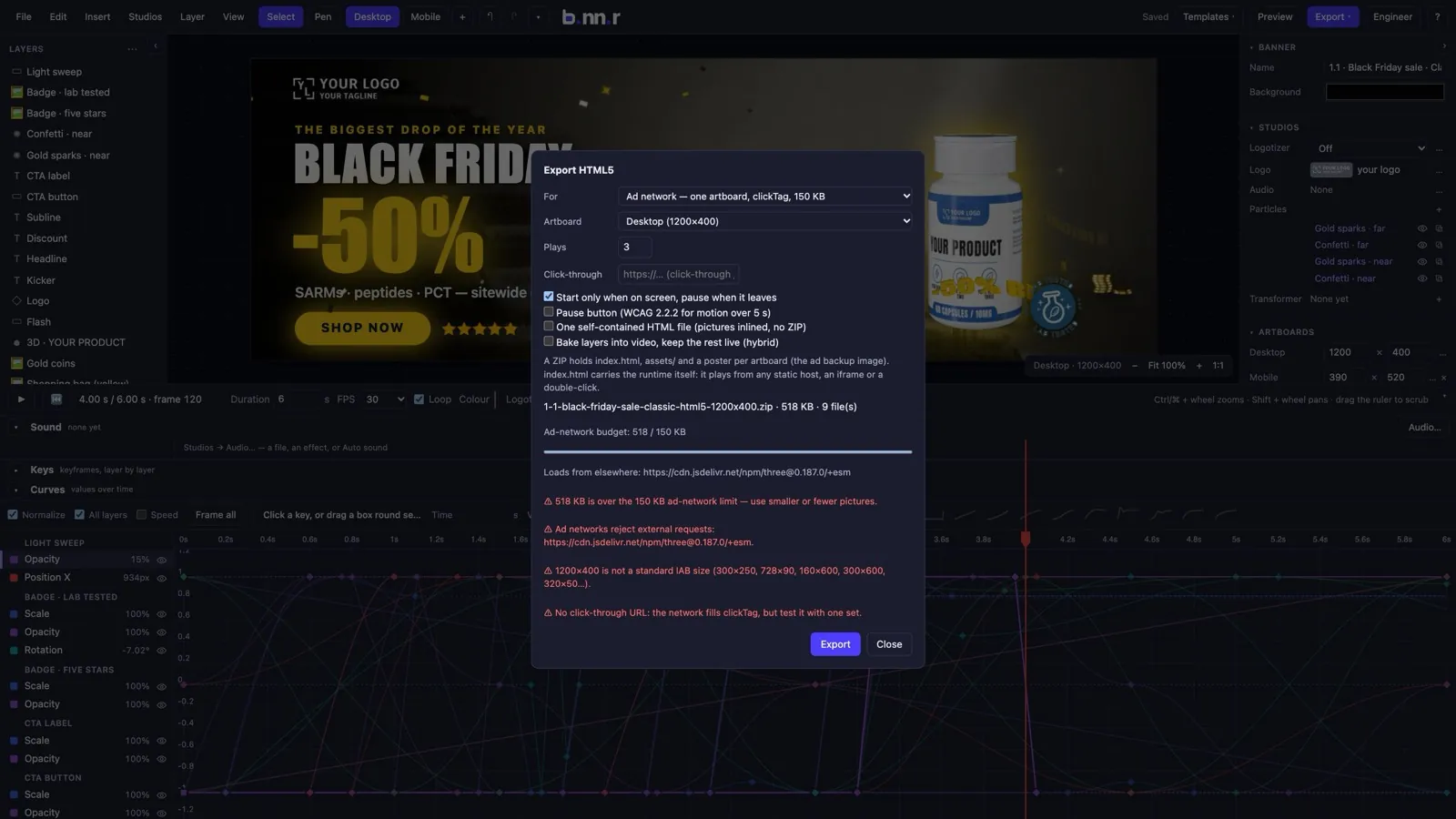
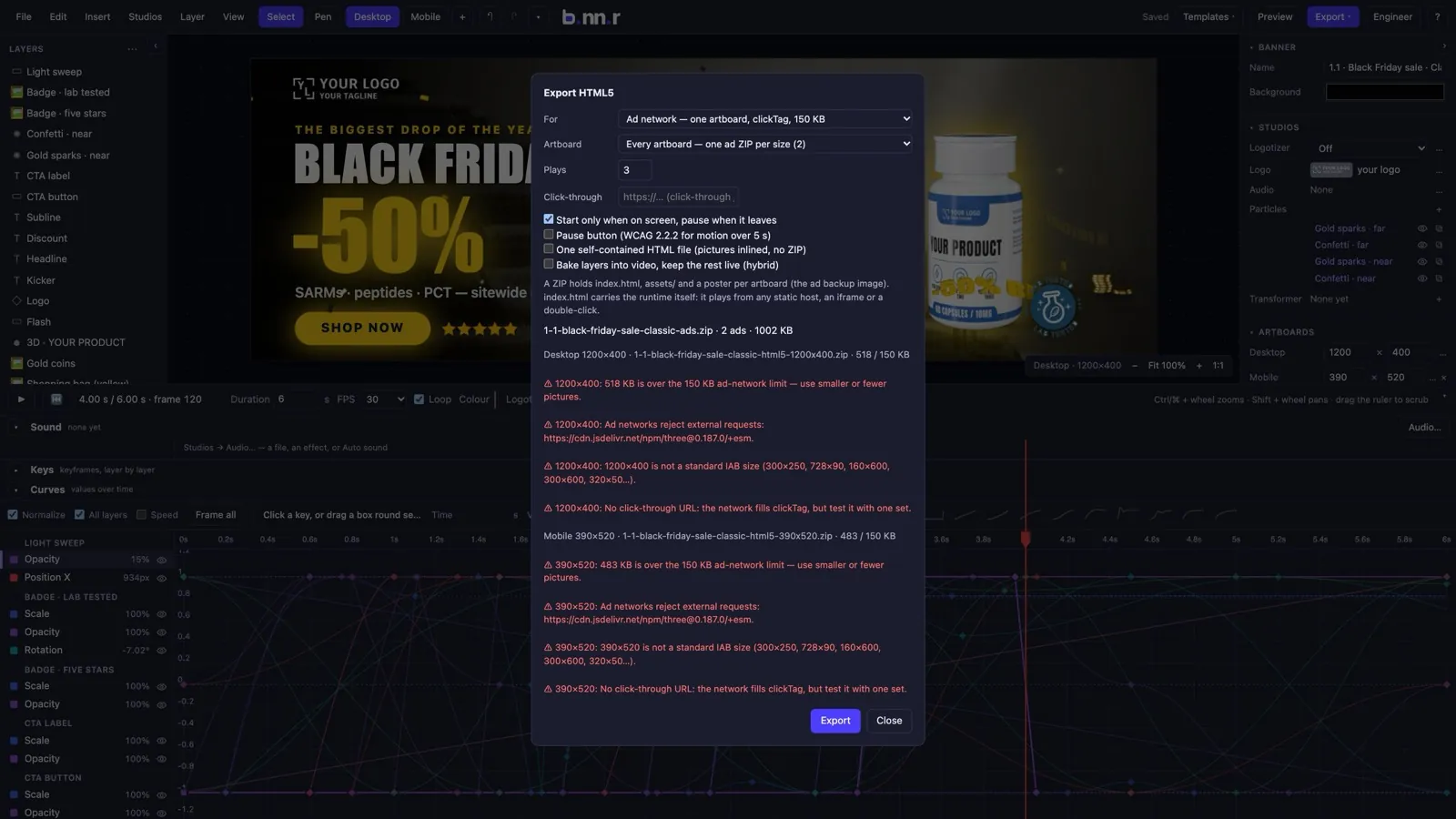
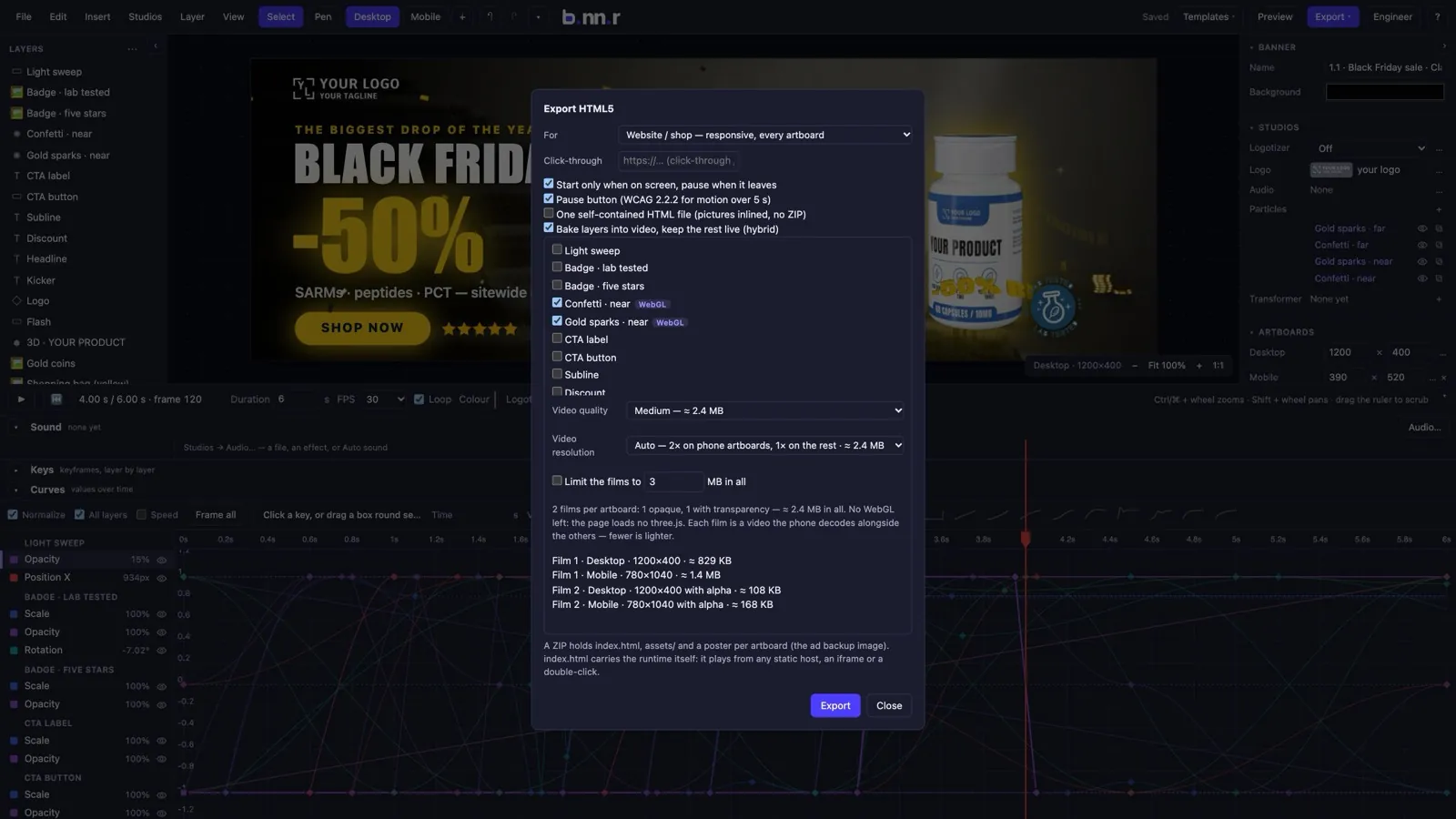
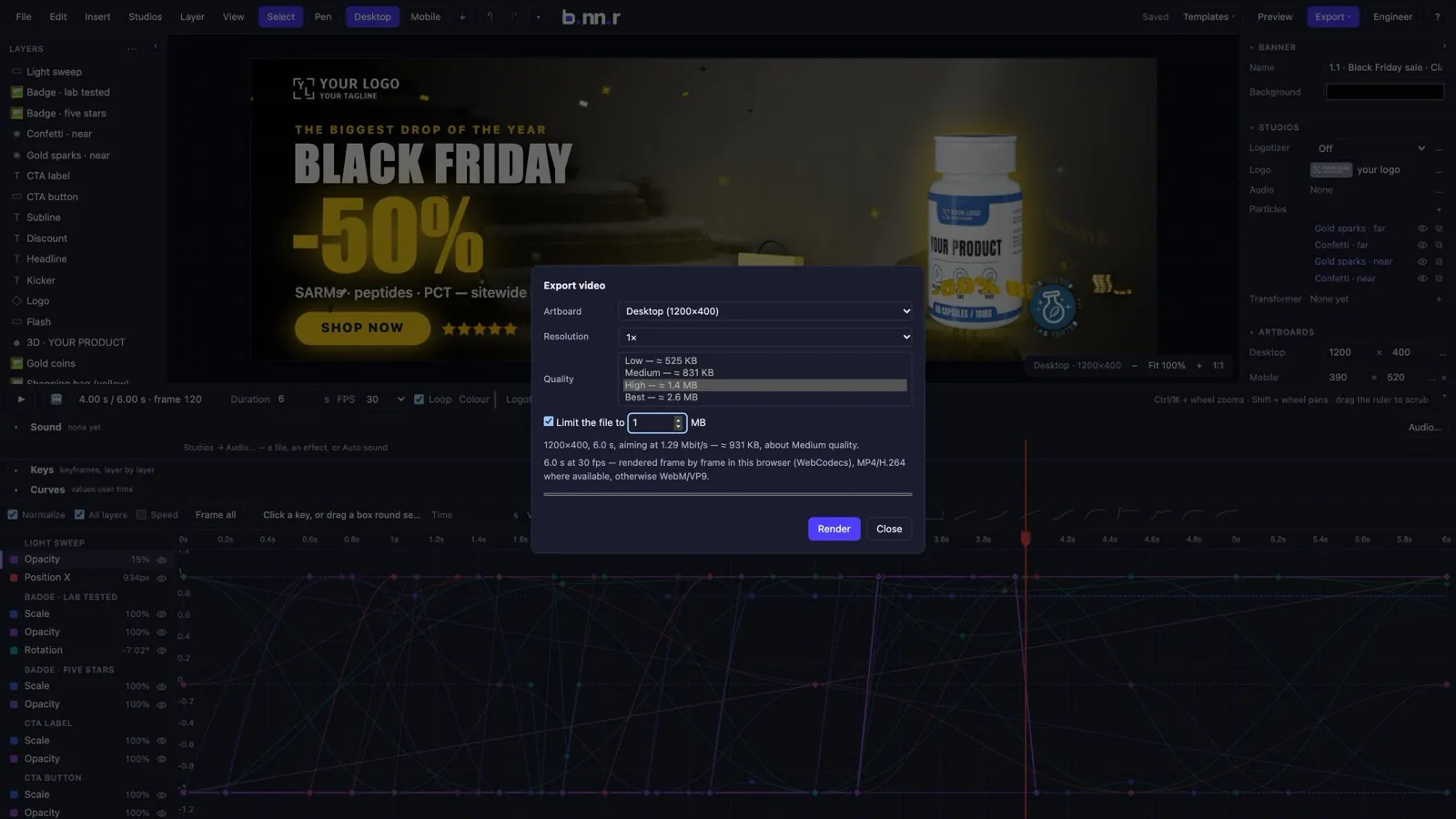
HTML5 for your shop or an ad network, a video, a portable package. Every export shows what it will weigh before you press the button.
- HTML5 for the web: responsive across every artboard, an iframe snippet, starts on screen and pauses off it, with a pause button and a no-script poster.
- HTML5 for ad networks: one artboard baked flat, a click tag, a backup image, and warnings against the 150 KB, 30 s and no-external-requests rules; a whole set, one ZIP per size.
- Hybrid: render the heavy layers to video and keep the text live — the page loads no 3D library at all.
- MP4 video with the quality chosen from measured sizes, or a size limit in MB; soundtrack in exported pages with a click-to-unmute button.
- A .bxlb package that reopens anywhere, and the banner as JSON.
11
A workspace that stays out of the way
A dark and a light theme, panels that fold and resize, shortcuts under any keyboard layout, projects saved on the server.
- Dark by default, light on a keystroke; every colour is a token.
- Layers, inspector and timeline fold away; sizes are remembered; menus, the toolbar and the shortcut list are one list of commands.
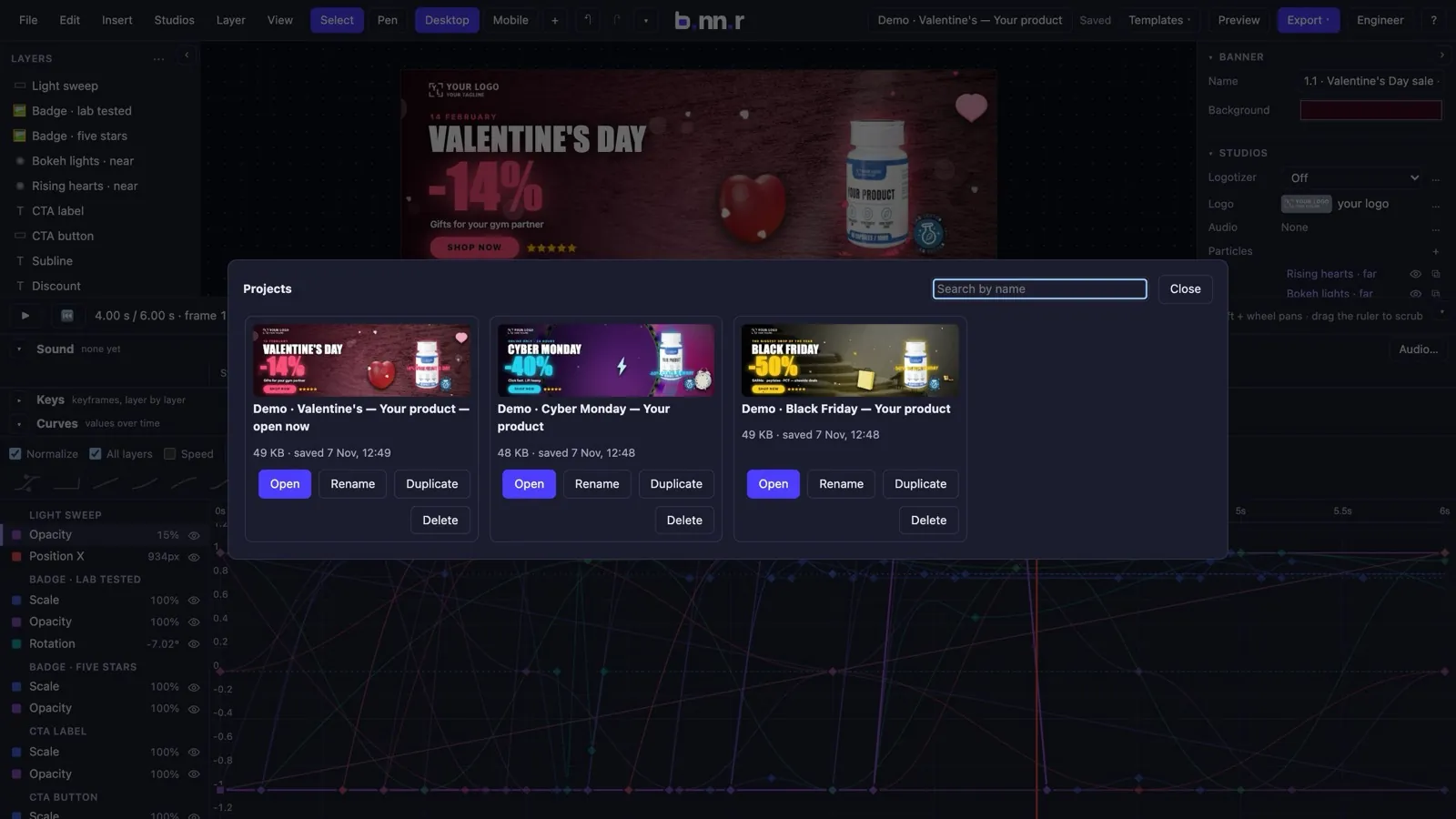
- Projects saved on the server with revisions and a conflict check, a link to one moment of one banner, history and a backup if a session crashes.
- Accounts with a plan and a free trial.
Make your first banner in minutes.
Start from a template, drop in your product, and export. 14 days free, no card.